
Solution · Employee transport management
Employee transport management software, with approvals and proof of every trip
Teletrack Staff transport is employee transport management software for Australian organisations that move their own people in their own cars, vans and buses. Staff book a trip, their line manager approves it, dispatch allocates a driver and vehicle, and every completed trip closes with a tamper-evident trip sheet coded to a cost centre.
Built and hosted in Australia (AWS Sydney). Part of the Workforce package at $5 per user per month, month-to-month.
What it is
What is employee transport management software?
Employee transport management software runs the movement of an organisation's own staff: booking trips, approving them, allocating drivers and vehicles, tracking trips live, and recording what happened for safety, audit and cost. It is different from a freight transport management system (TMS), which moves goods, and from pool-car booking, where staff drive themselves.
Staff transport is
Booking, approval, dispatch, live tracking and a trip record for staff trips, shuttles and crew runs.
It is not a freight TMS
For freight and deliveries, Teletrack runs alongside your transport management system.
It is not pool-car booking
Pool booking hands a vehicle to the person travelling. Staff transport assigns a driver and records the trip.
$5 / user / month + GST — Workforce package.
Bundled with Timesheets, Inductions, Dockets, Dispatch and Safety as the Workforce package (all six included). We switch it on for your organisation inside your Teletrack account, where it uses the trackers already on your vehicles. Priced per user, not per device. Month-to-month, no lock-in contracts.
The pain
Staff transport still run on phone calls and spreadsheets
Many organisations that move their own people still run it like this.
- 7:40 am. A manager texts the transport office for a car. The coordinator rings three drivers to find one who's free, then rings back. Repeat across 30 trips a day.
- A visitor waits at reception. Nobody knows where the car is without ringing the driver, who is driving.
- A driver says the 6 am airport run happened. There's no pickup time, no route and no signature to show it.
- The long trip out of town went ahead with no approval, or the person who booked it approved it themselves.
- Month end. Finance asks which cost centre 40 trips belong to, and someone rebuilds the answer from texts.
Fit
Who uses employee transport management
Staff transport moves your organisation's own people. It is not a freight system: for freight, Teletrack works alongside a transport management system and doesn't replace one.
For
- Organisations running their own sedans, 4WDs, vans, minibuses or buses for staff, including office runs, site visits, airport transfers and daily shuttles.
- Shift crews on standing runs that are set up once.
- Vehicles with a Teletrack-connected tracker, or ready to have one fitted.
Used for office and site runs, airport transfers, staff shuttles and daily crew transport in construction, civil, mining, local government, health and campus settings.
Not for
- Freight, deliveries or courier work, or public and paying passengers.
- Multi-stop routes or pooling several bookings into one run. Each trip has one pickup and one drop-off.
How it works
How staff transport booking, approval and dispatch work
Every step happens in the same place and is recorded on the same trip.
-
1
Book
Staff book a one-way or return trip between your organisation's named places, for themselves or a colleague. It gets a Job ID straight away.
-
2
Approve
The passenger's line manager approves, and long trips also go to the cost-centre owner. Or write your own rules.
-
3
Dispatch
The transport office sees suggested driver-and-vehicle pairs, closest and clash-free first, and offers the job.
-
4
Drive
The driver accepts on a phone page, with nothing to install, then starts, boards passengers and completes the trip.
-
5
Prove
The tracker records arrivals, and the trip closes with a locked trip sheet that flows into reports by cost centre.
For staff
Staff transport booking in about a minute
Anyone with a booking role can book from a desk or a phone, for themselves or a colleague.
- Pick passengers from the staff directory, or add other travellers as a head count.
- One-way or return, with a department, a cost centre and an optional project code on every booking.
- The form names the cost-centre owner for long trips, and once it's submitted you see exactly who it's waiting on.
- Save a draft, cancel while it waits, or edit and resubmit if it's rejected. The history keeps every round.
- Follow each request from awaiting approval to completed, and see who it's waiting on.
Screens shown with demonstration data.
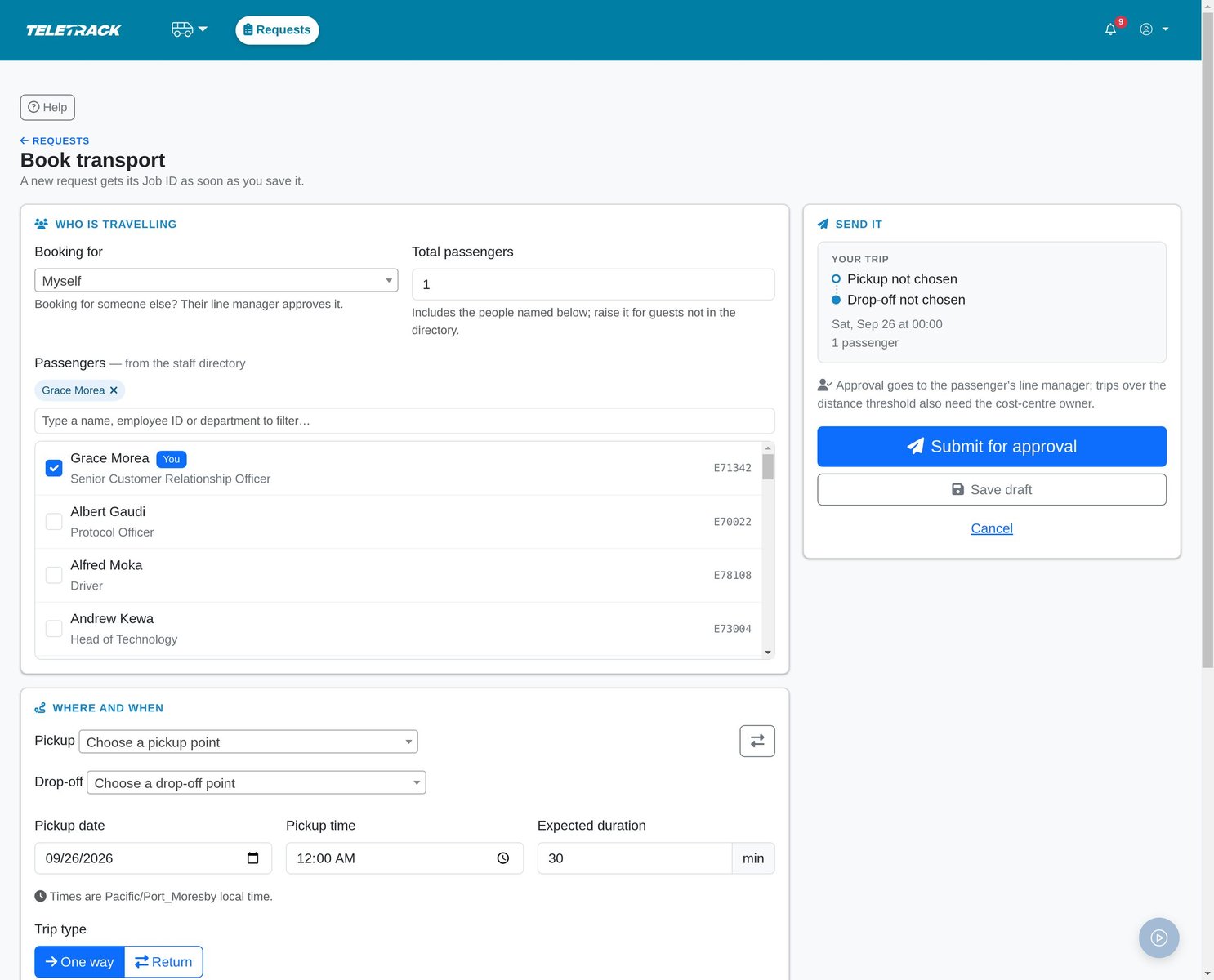
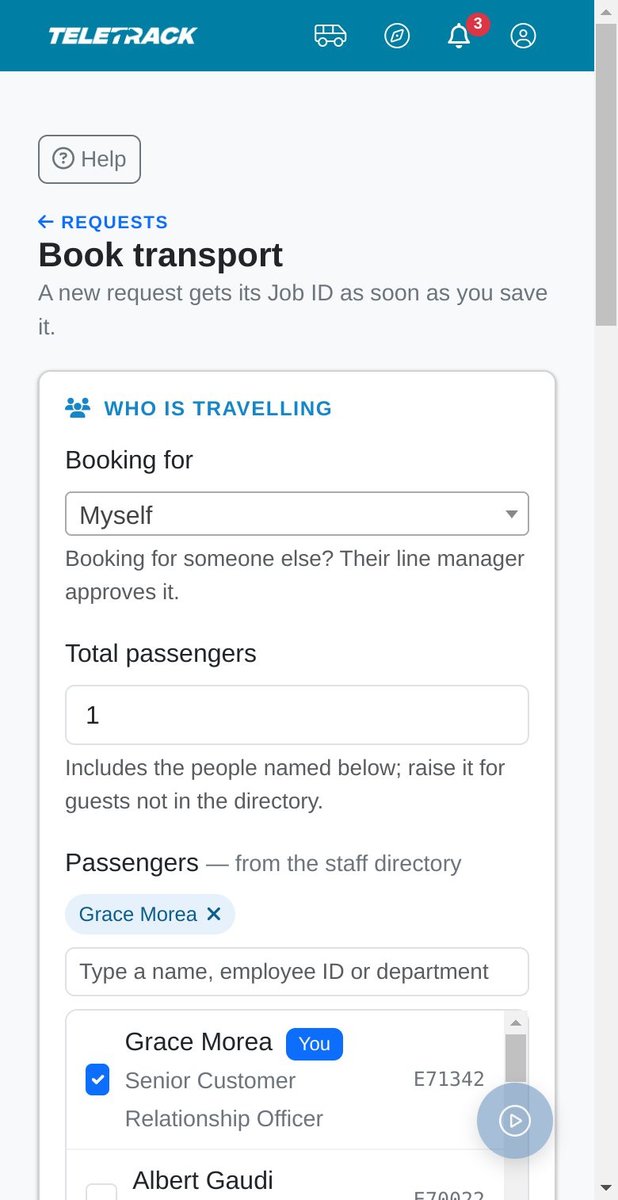
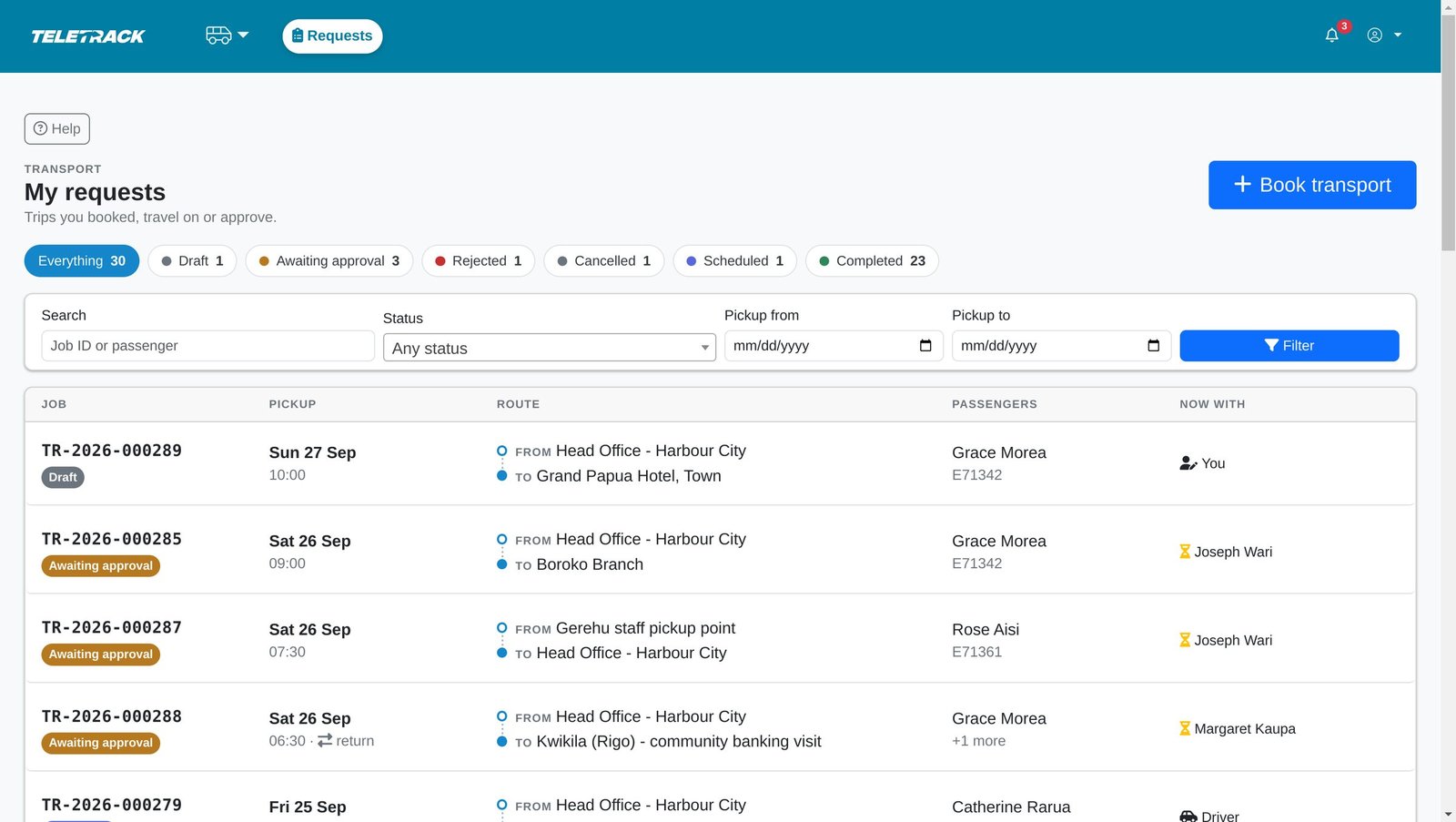
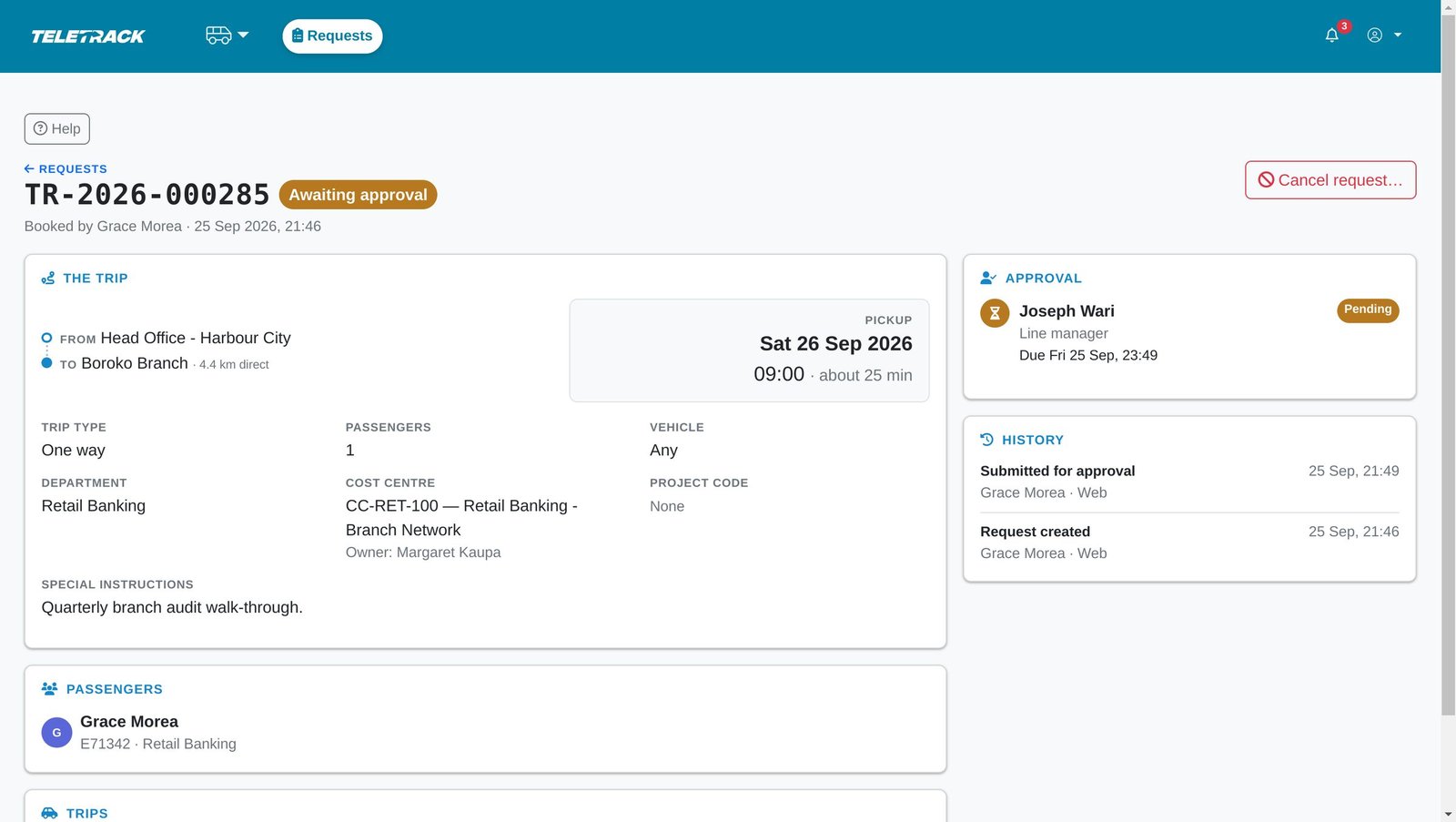
Staff book in about a minute: who is travelling, where and when. The form explains who approves and names the cost-centre owner for long trips.
The same booking form works on a phone. Nothing to install.
Every request in one list, with its status and who it is waiting on.
Each request gets a Job ID and a visible approval chain with a due time.
For approvers
Trip approvals that follow your reporting line
Each request goes to the passenger's line manager from the staff directory. The cost-centre owner is added for long trips (40 km straight-line by default).
- Your queue shows what's waiting on you, why it's yours and when it's due, with overdue requests first.
- Approve or reject from a desk or a phone. A rejection needs a reason, and the requester sees it.
- In the approval chain, nobody approves their own trip: not the person who booked it, the person it's for, or anyone travelling on it.
- Going away? Delegate your new approvals to a colleague for a set period.
- Overdue approvals escalate to a named contact or a supervisor.
- Emergency bypass: a supervisor or transport administrator can skip the chain with a written justification, including on a trip they booked. It's audited, and the other supervisors and administrators are told so they can review it.
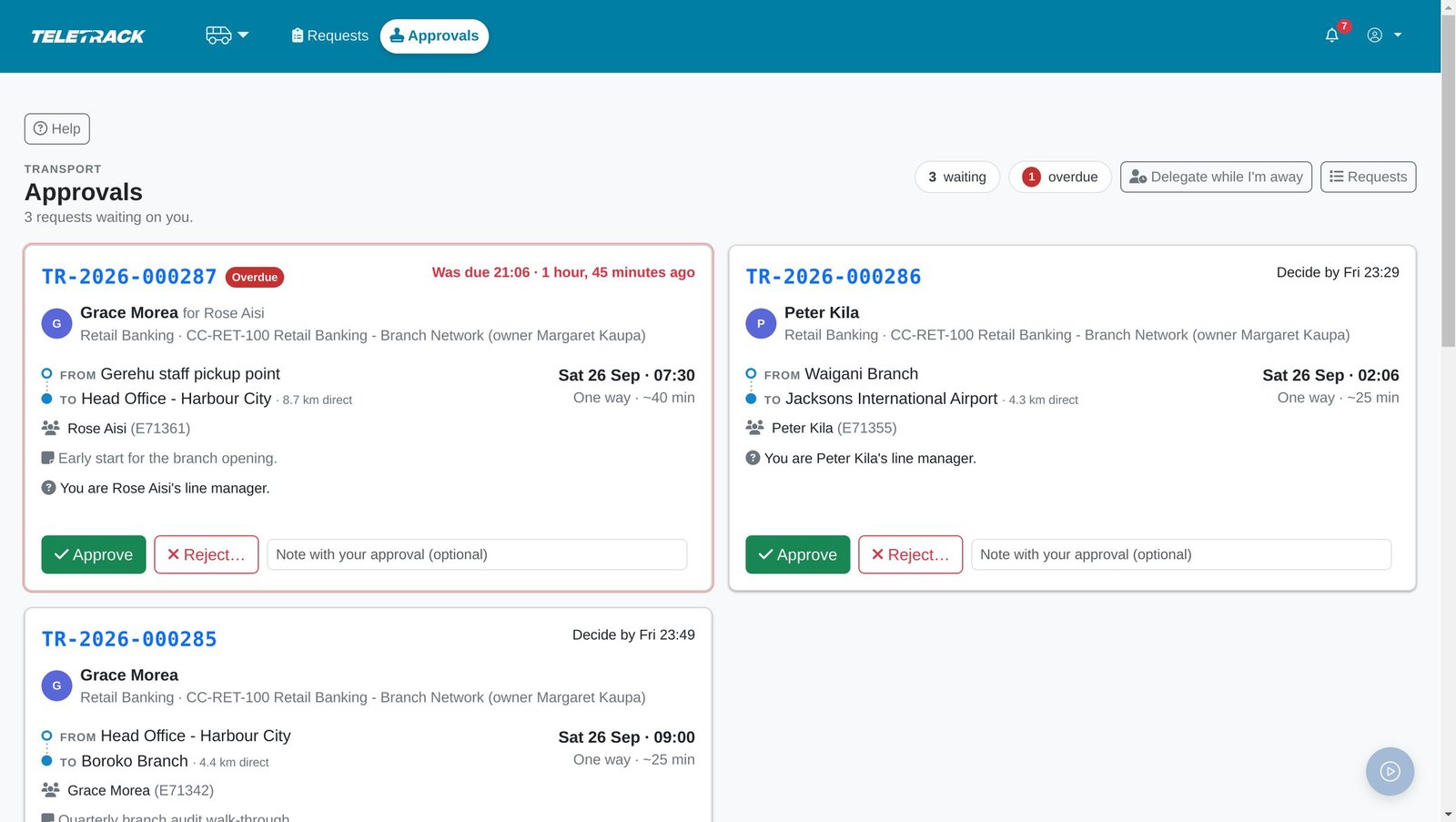
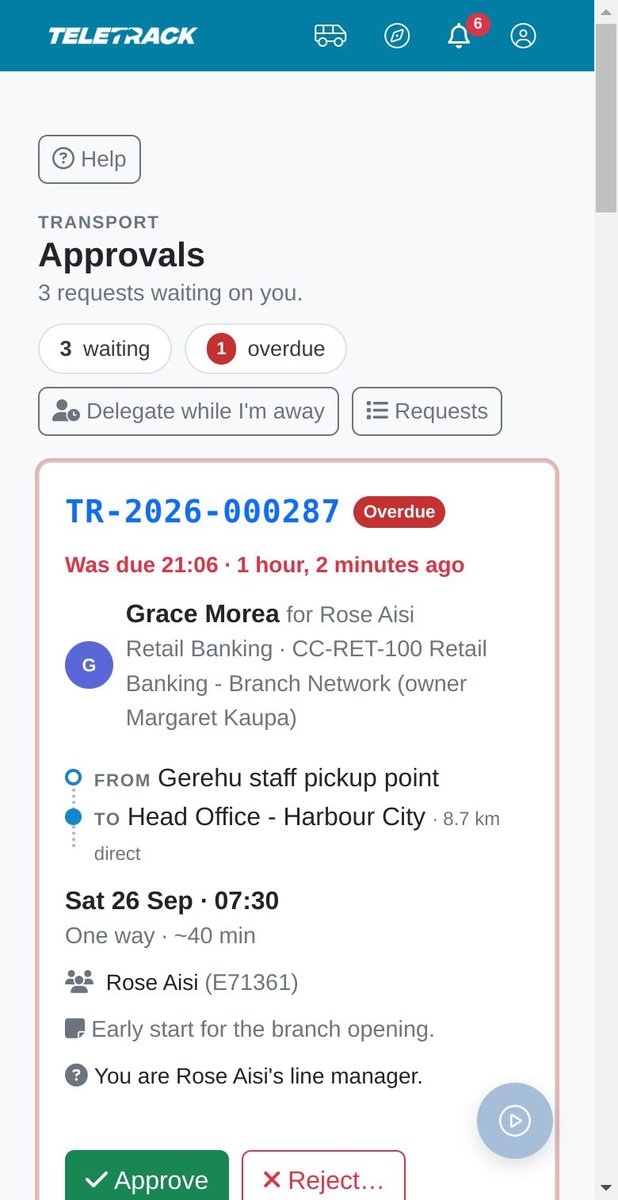
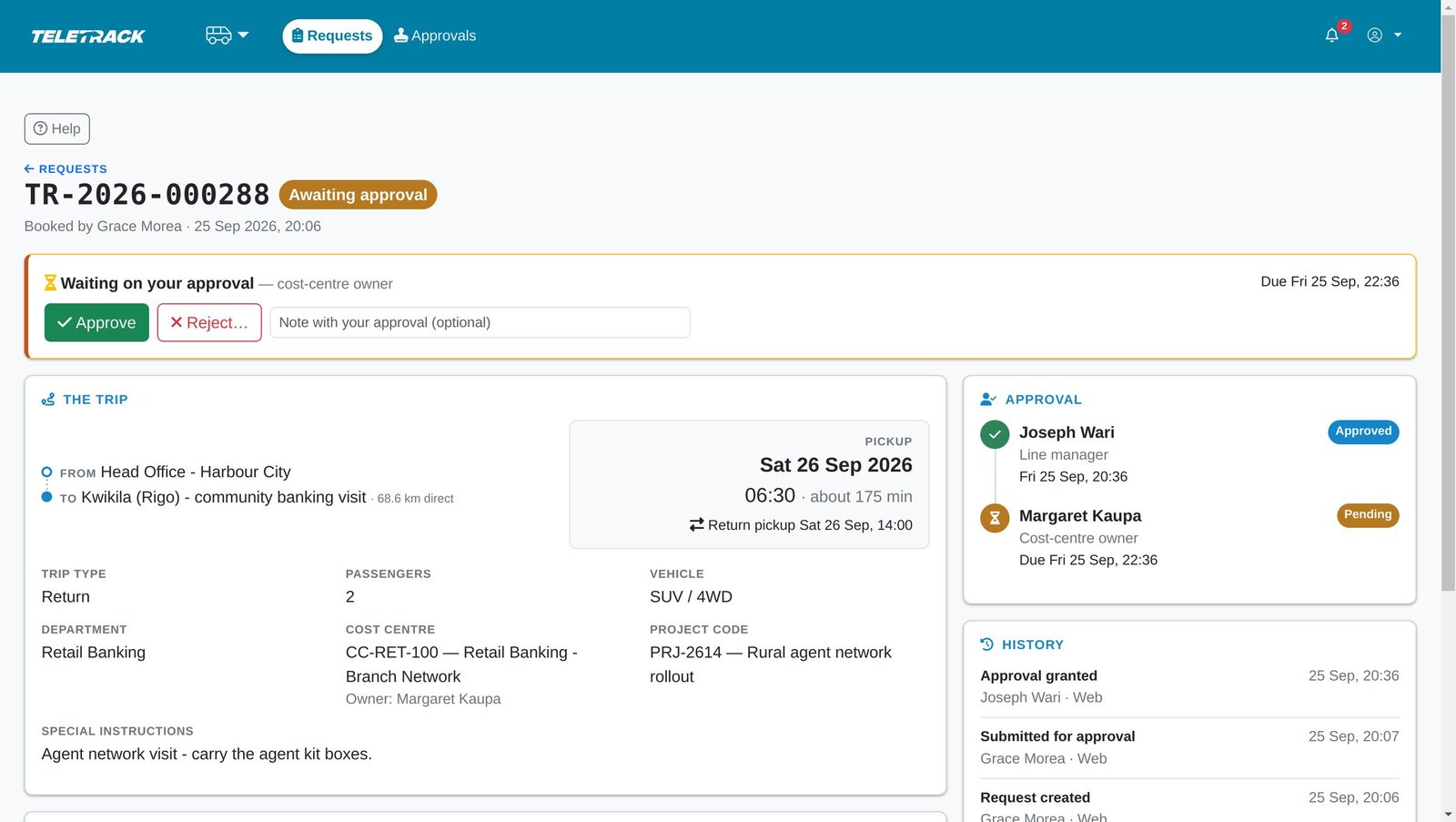
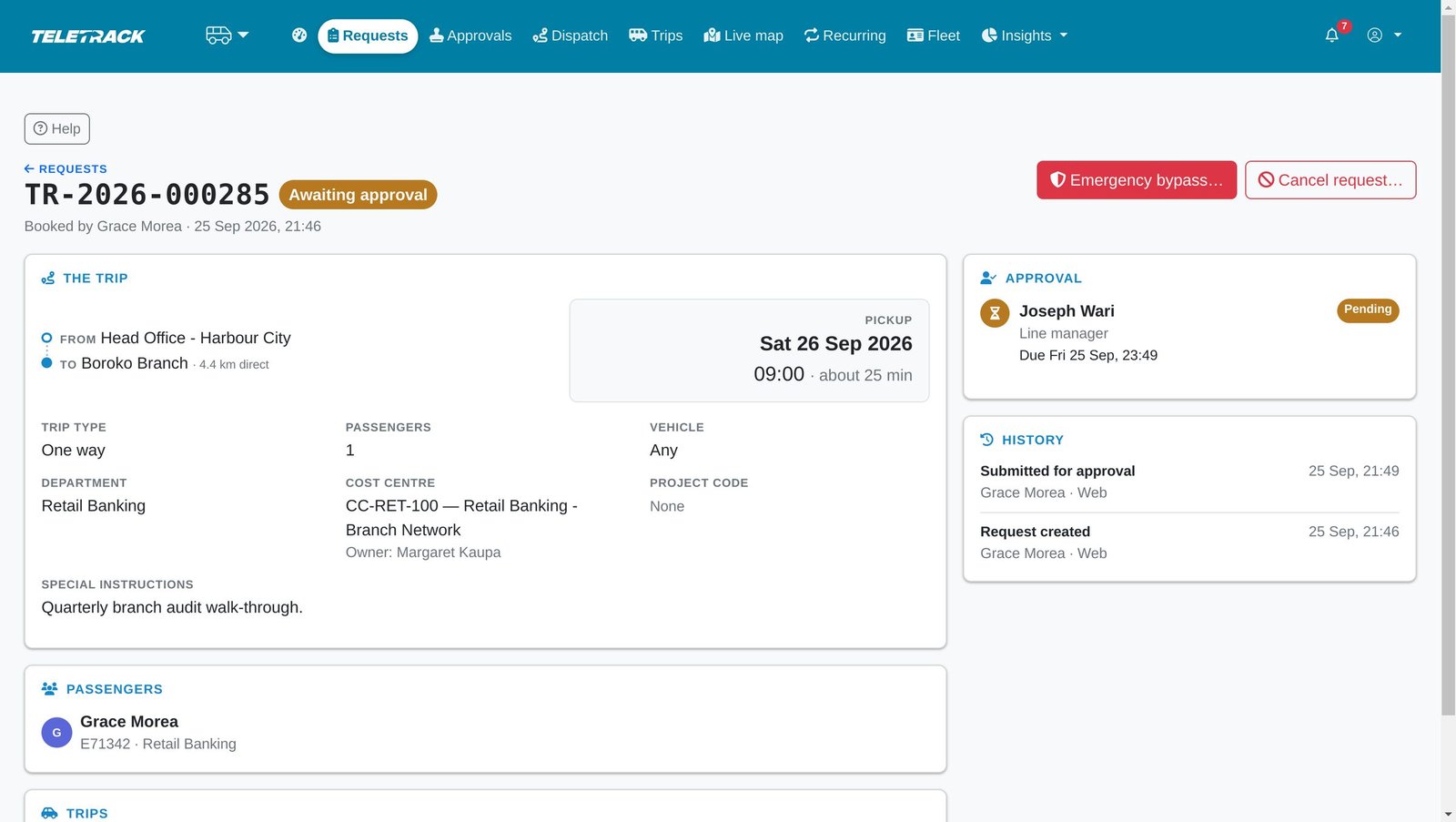
Approvers see only what is theirs, why, and when it is due. Overdue requests come first.
Approve or reject from a phone.
Long trips go to the cost-centre owner as well as the line manager.
Emergencies can skip the chain, but only a supervisor or transport administrator can do it, with a written reason, and it is flagged for review.
For the transport office
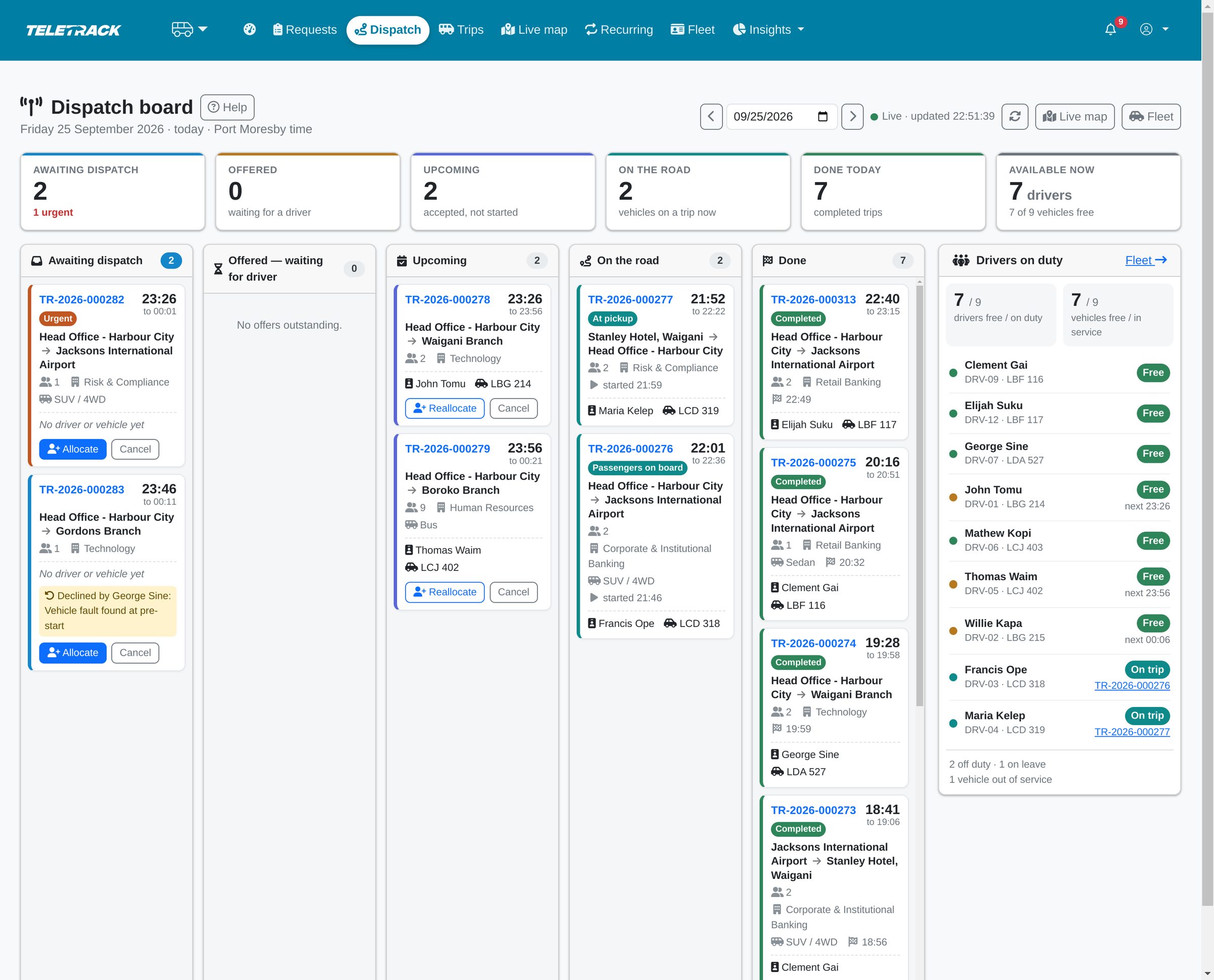
Dispatch board for the transport office
The dispatch board shows what needs a driver, what's been offered, what's on the road and who is free, and keeps itself up to date.
- Suggested driver-and-vehicle pairs for each trip, ranked by how close the vehicle is to the pickup, with an estimated arrival time.
- Every allocation is checked for clashes, seats, licence expiry and duty status. A clash needs a written reason to override.
- Allocate by hand from the ranked suggestions, or switch on automatic allocation, which offers each approved trip to the best clash-free pair. Declined or unanswered offers go to the next pair, or back to dispatch if there isn't one.
- The fleet page shows each vehicle's service status, current driver, tracker status and licences coming due.
- Late pickups, stationary vehicles and silent trackers raise exceptions by themselves. Declines, delays and breakdowns reported by drivers land in the same list, to be acknowledged or resolved on the record.
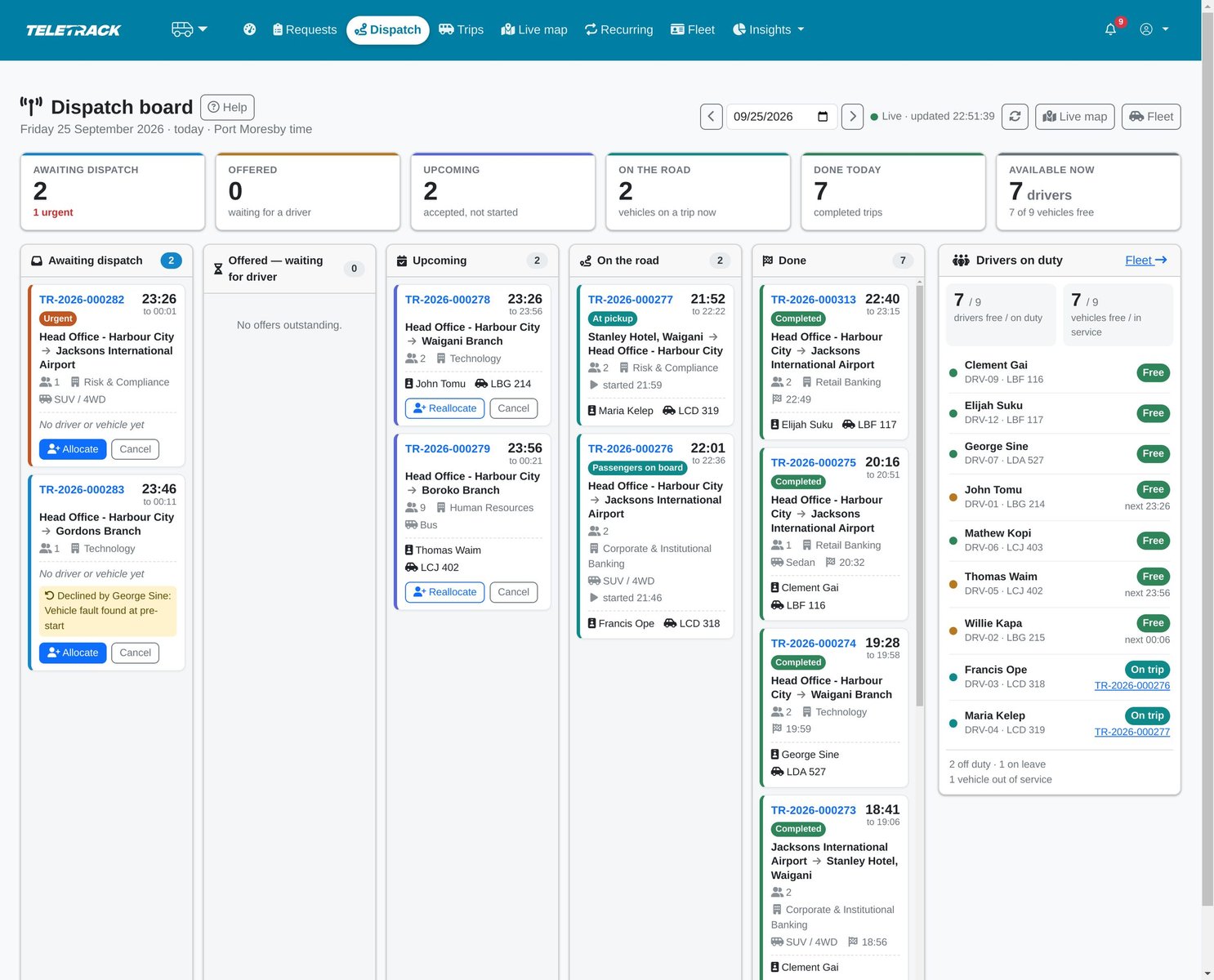
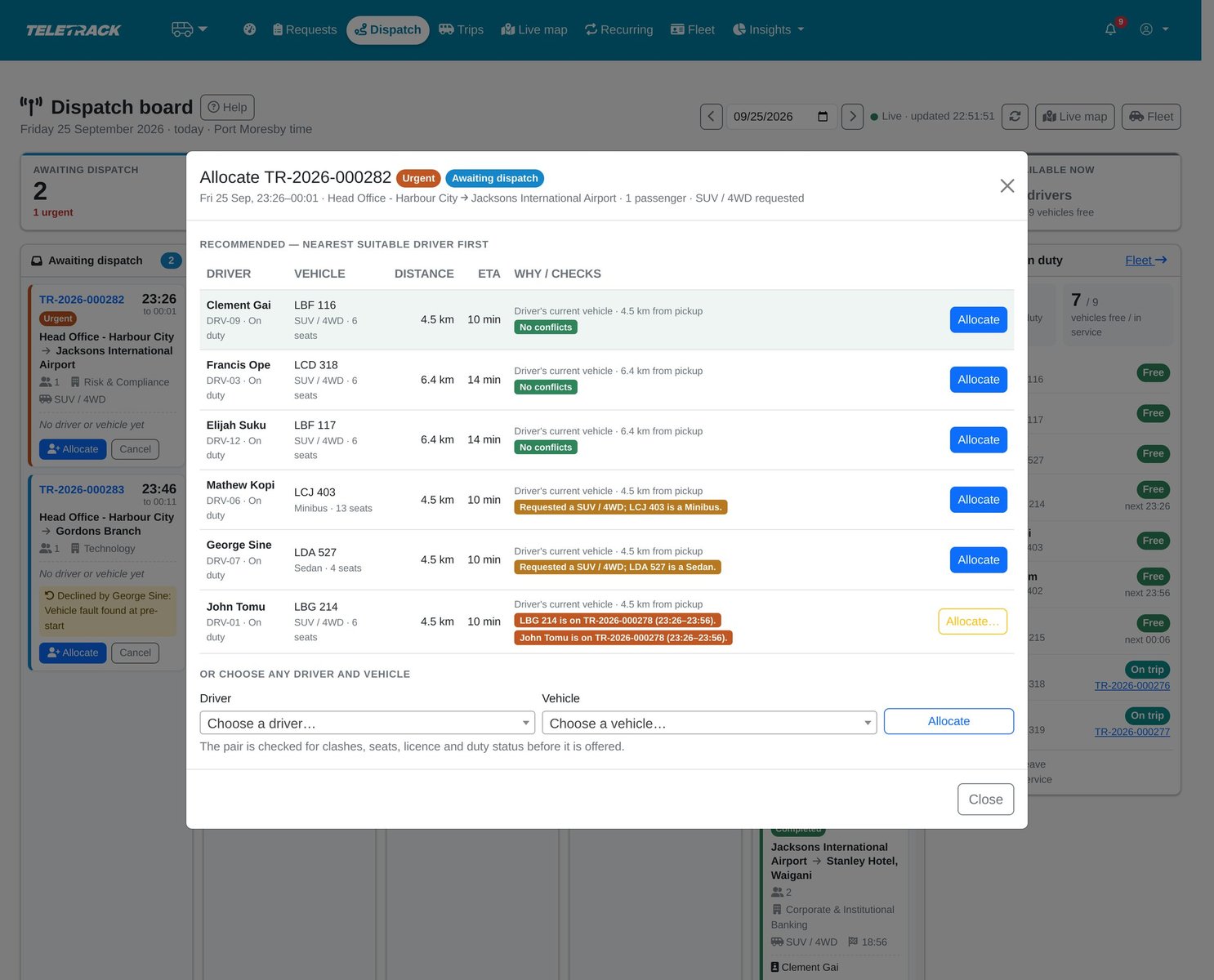
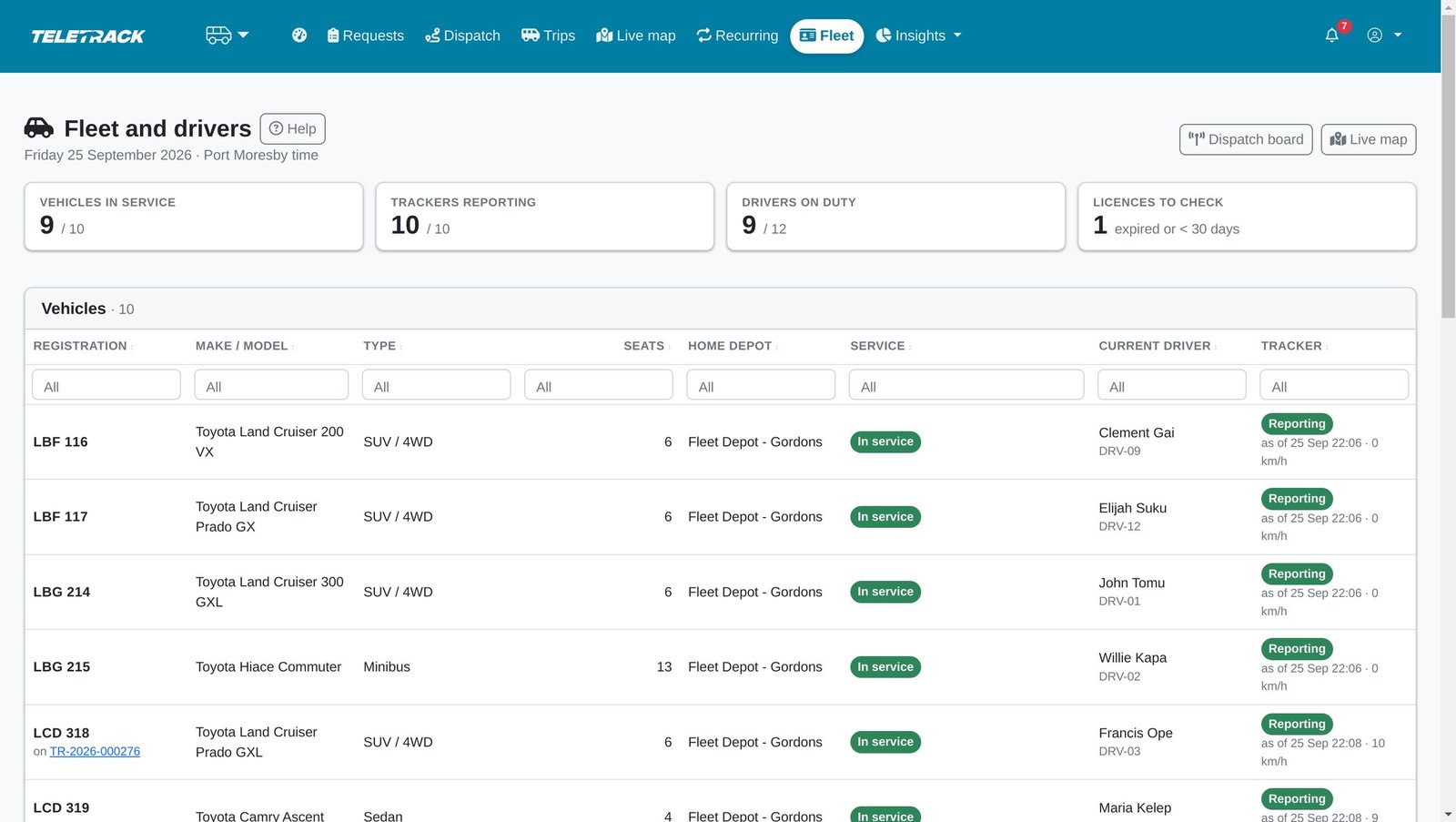
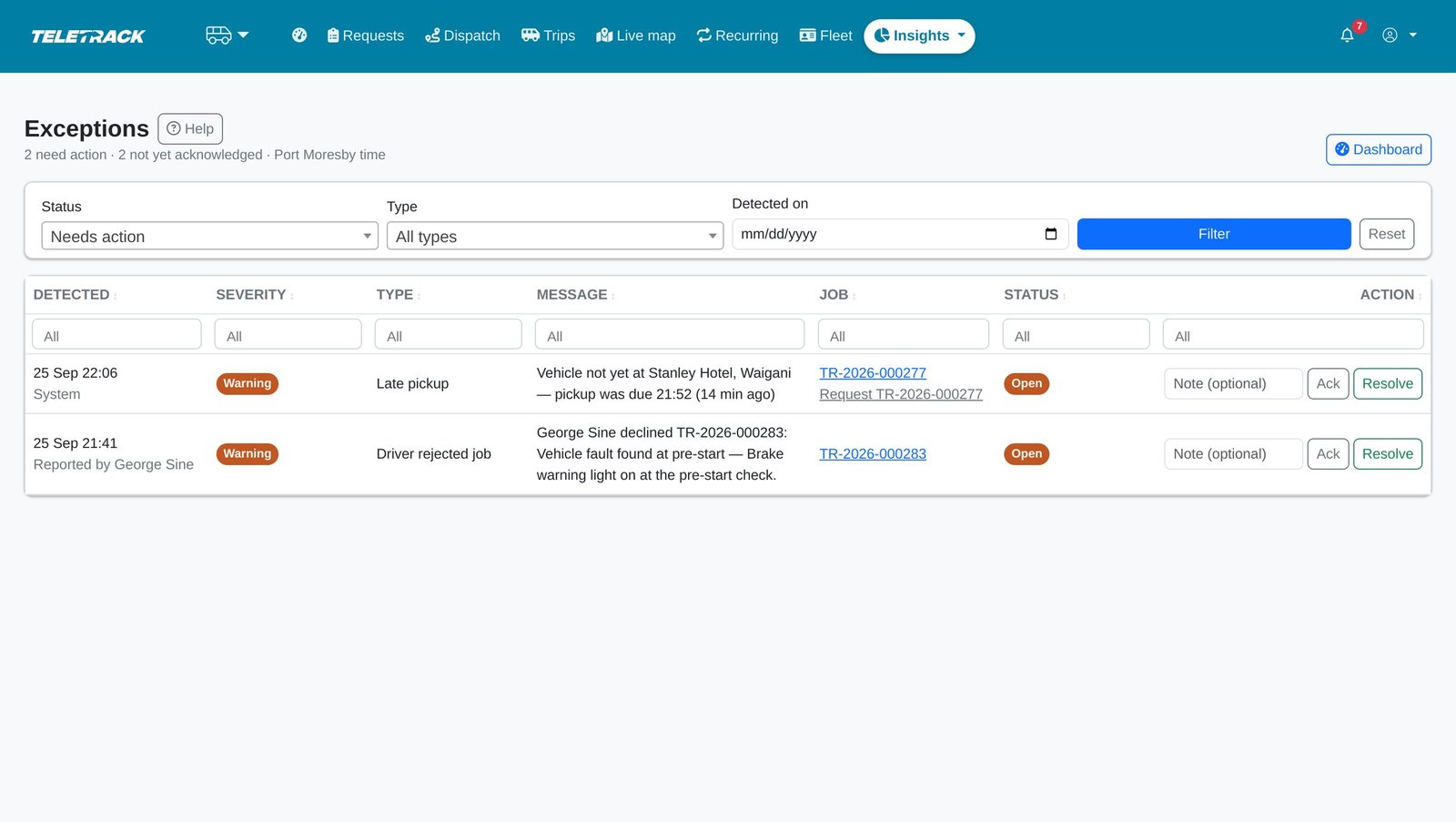
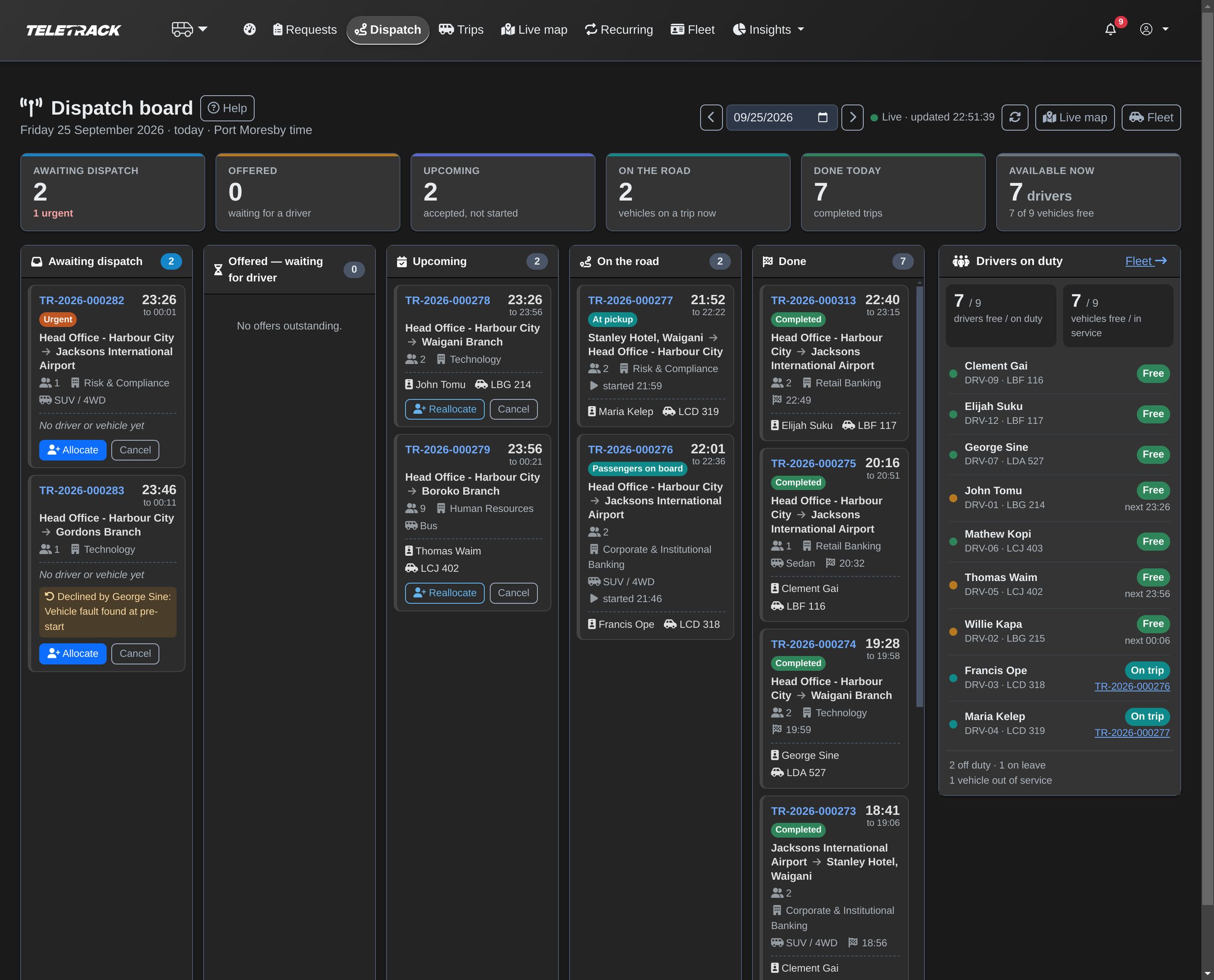
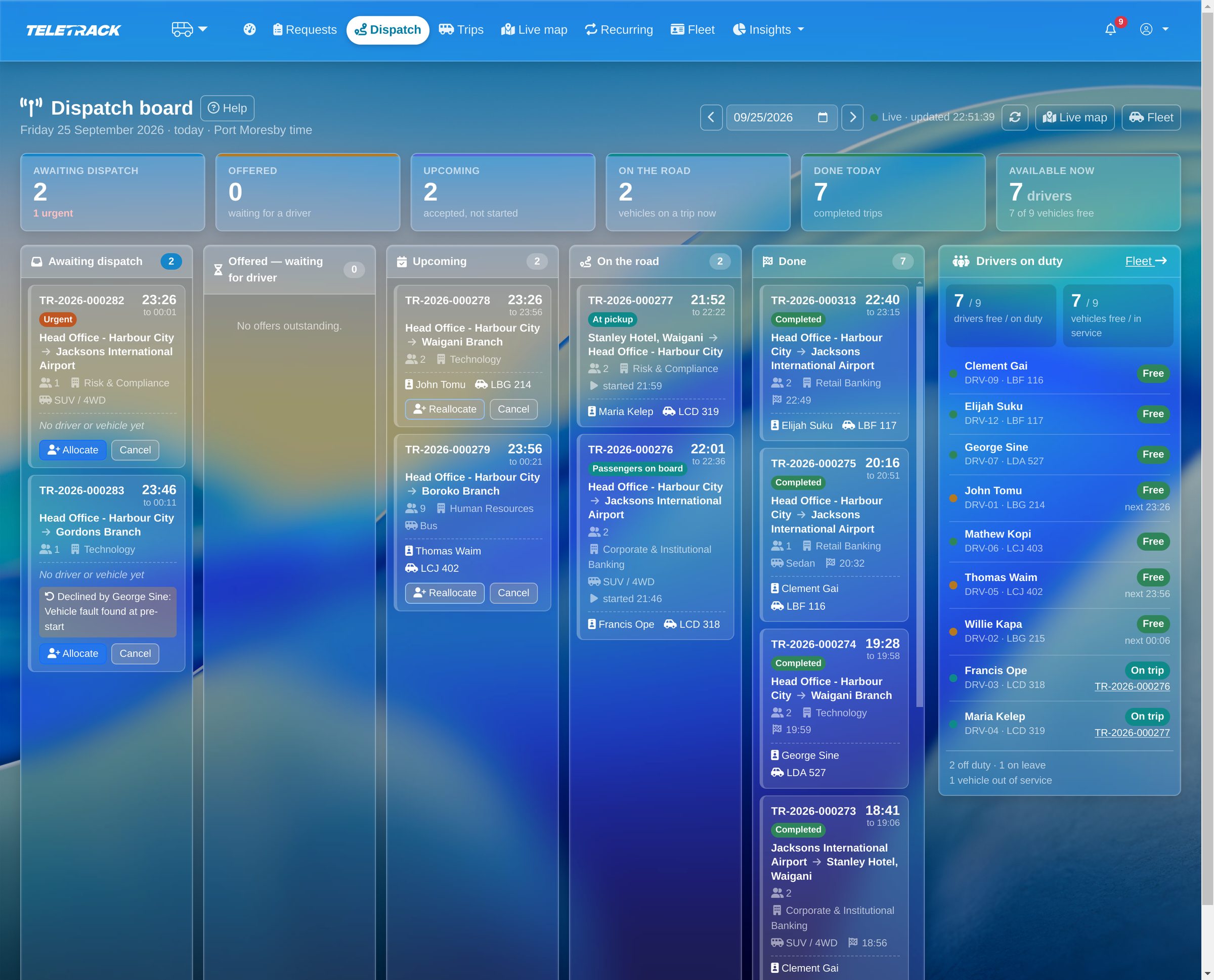
The whole day on one board: what needs a driver, what is on the road, and who is free.
The system ranks the nearest suitable driver and vehicle and checks clashes, seats, licence and duty. The dispatcher decides.
Every vehicle and driver at a glance: in service, on duty, tracker reporting, licence due.
Late pickups and stationary vehicles raise themselves, and declines arrive with the driver's reason. Each one is acknowledged and resolved on the record.
For drivers
Driver app: accept, navigate, board passengers, close the trip
Drivers sign in to a mobile web page, with nothing to install. It needs a data connection.
- Accept or decline each offer. A decline needs a reason, and it goes straight to dispatch.
- One next action at a time: start, arrive, board, depart, complete. When the GPS records the arrival, the driver doesn't have to tap it.
- Directions to the next stop open in Google Maps.
- Mark each passenger boarded or a no-show, and report a delay or a breakdown from the trip.
- Close the trip with a passenger's signature on the phone screen, or without one if nobody can sign.
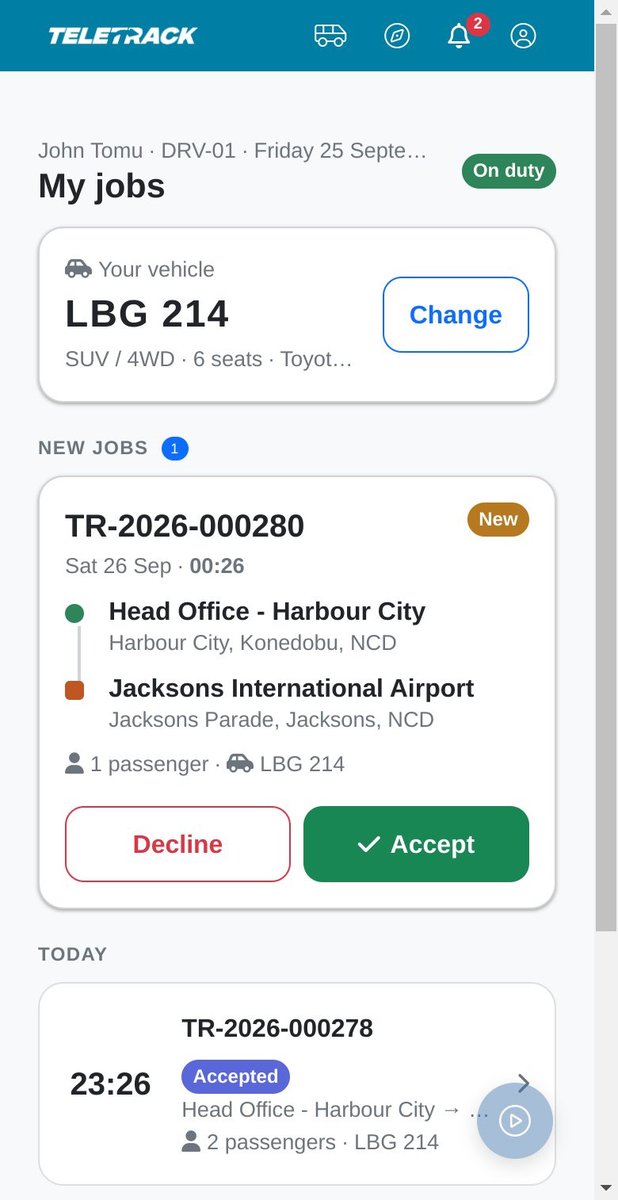
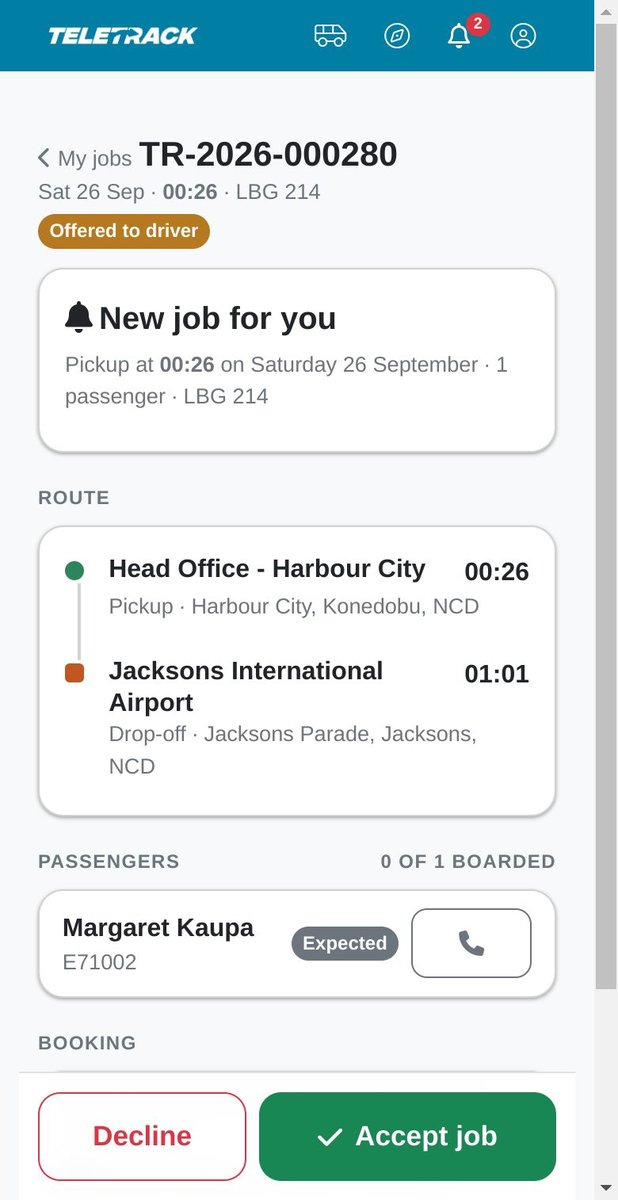
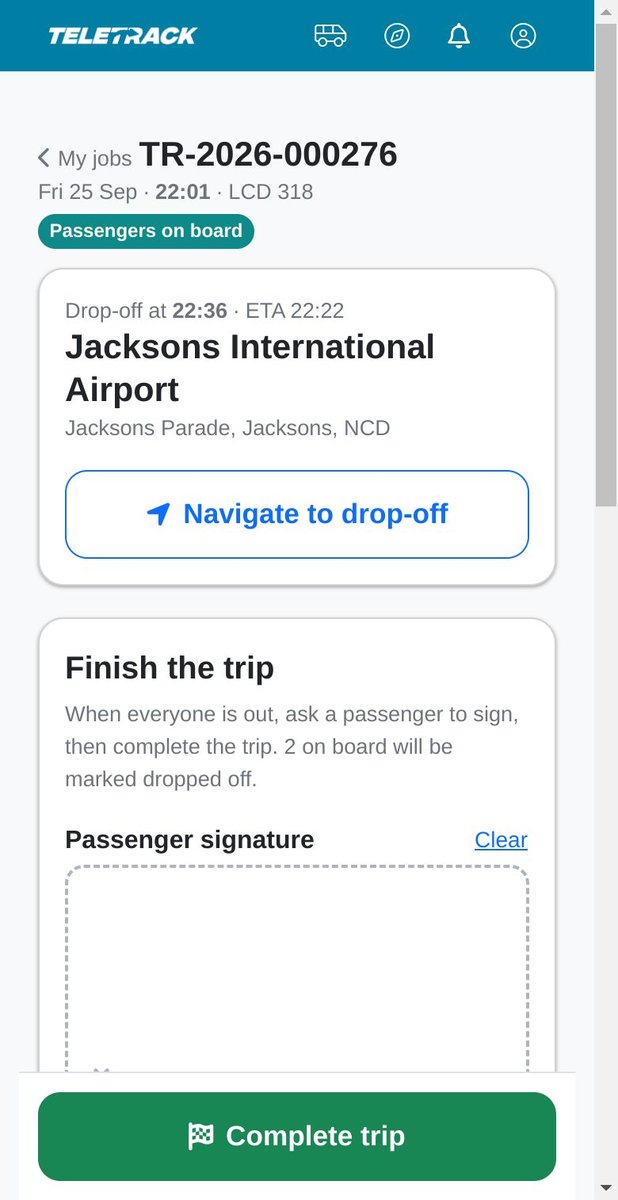
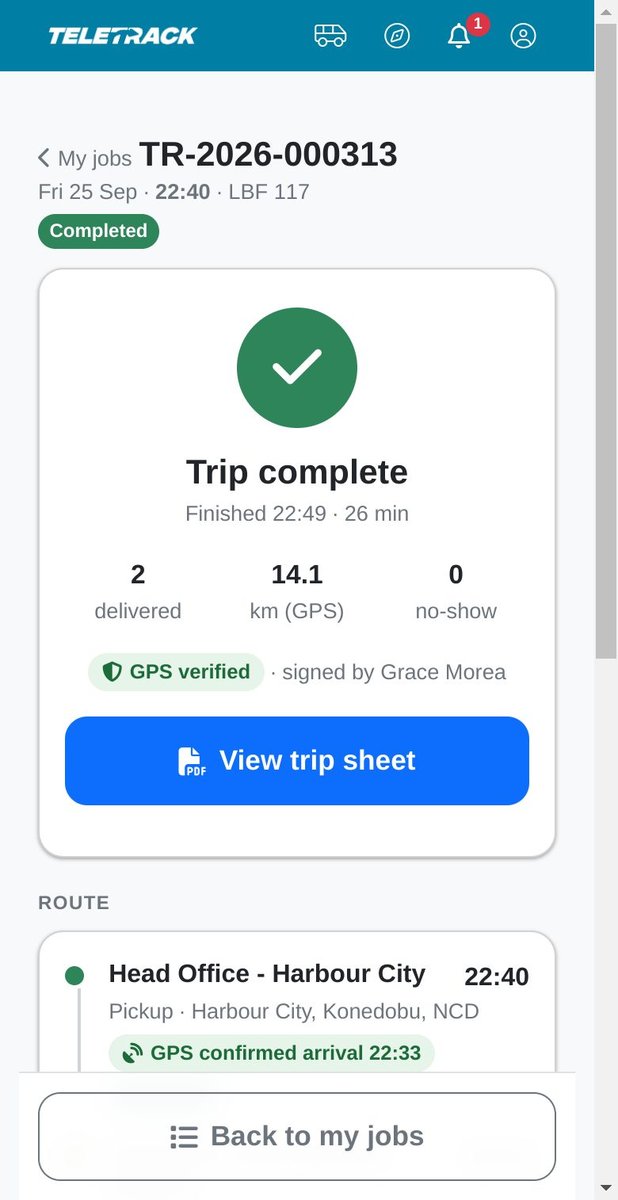
Drivers answer offers and see their day on their phone.
Accept, or decline with a reason that goes straight to dispatch.
Navigate, then complete the trip, with a passenger's signature where one is collected.
Completed, with passengers delivered and the distance measured by GPS.
For passengers
Passenger tracking link with live ETA
Once your organisation switches on email for passenger messages, each named passenger with an email address in the staff directory gets journey messages with a private link to their trip. No login, no app.
- Messages when the driver is confirmed, when the vehicle is approaching and when it has arrived.
- The link shows the pickup, the vehicle and the driver's first name.
- It shows the vehicle's live position only while it is coming for that passenger or carrying them, with an estimated arrival.
- It never shows another passenger's name or the rest of the fleet, and it stops working two hours after the trip ends.
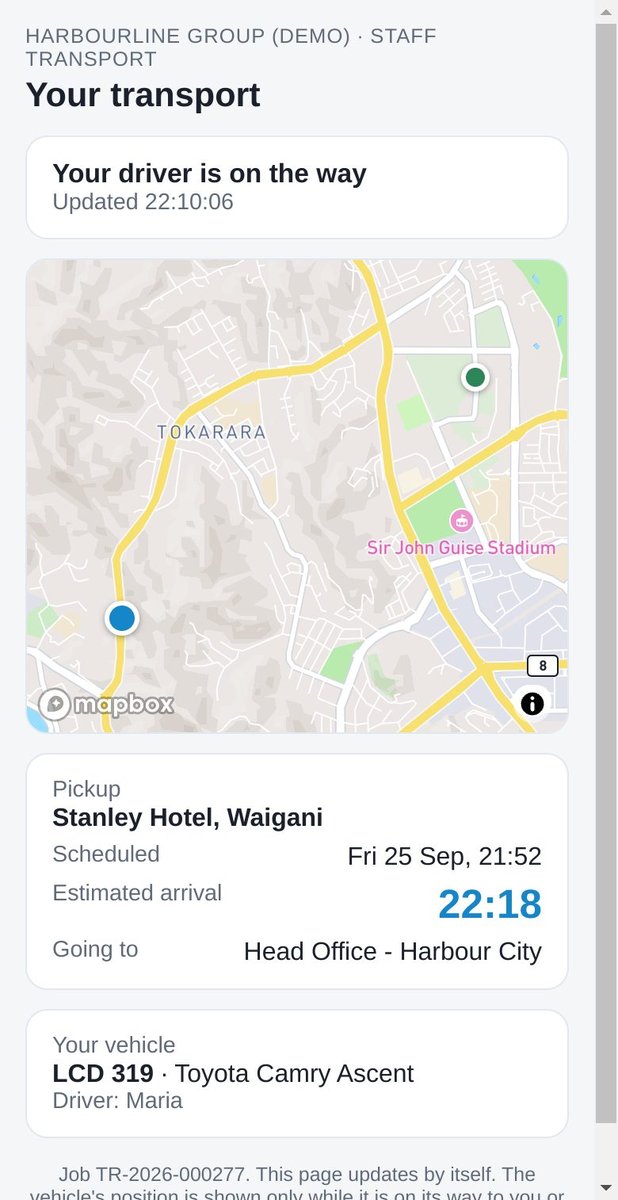
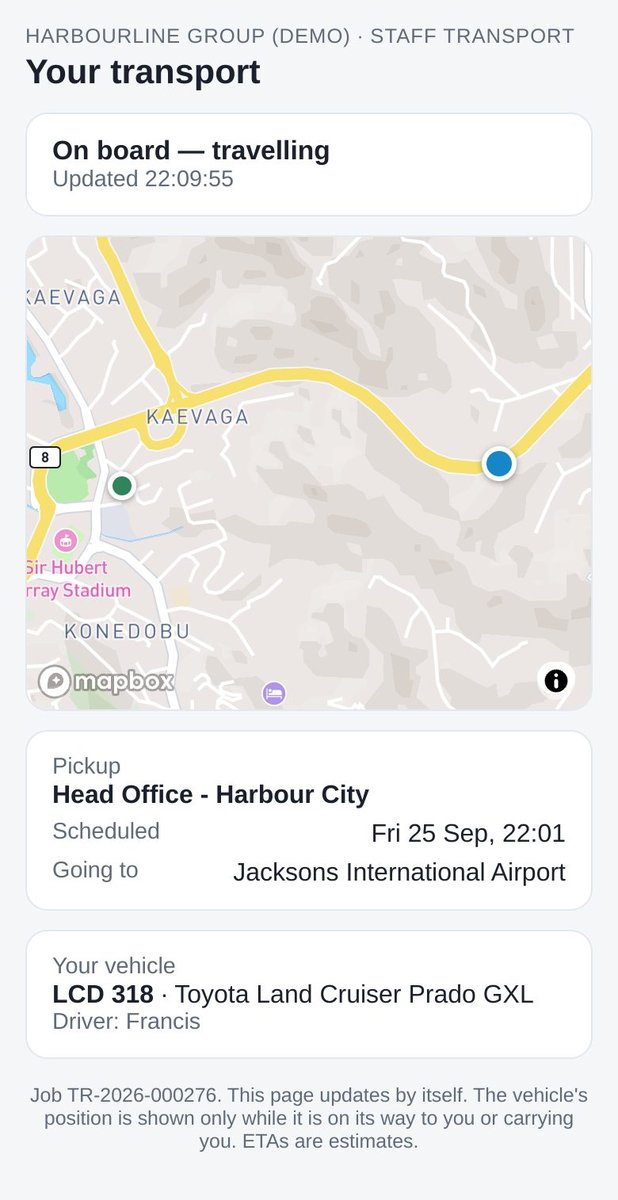
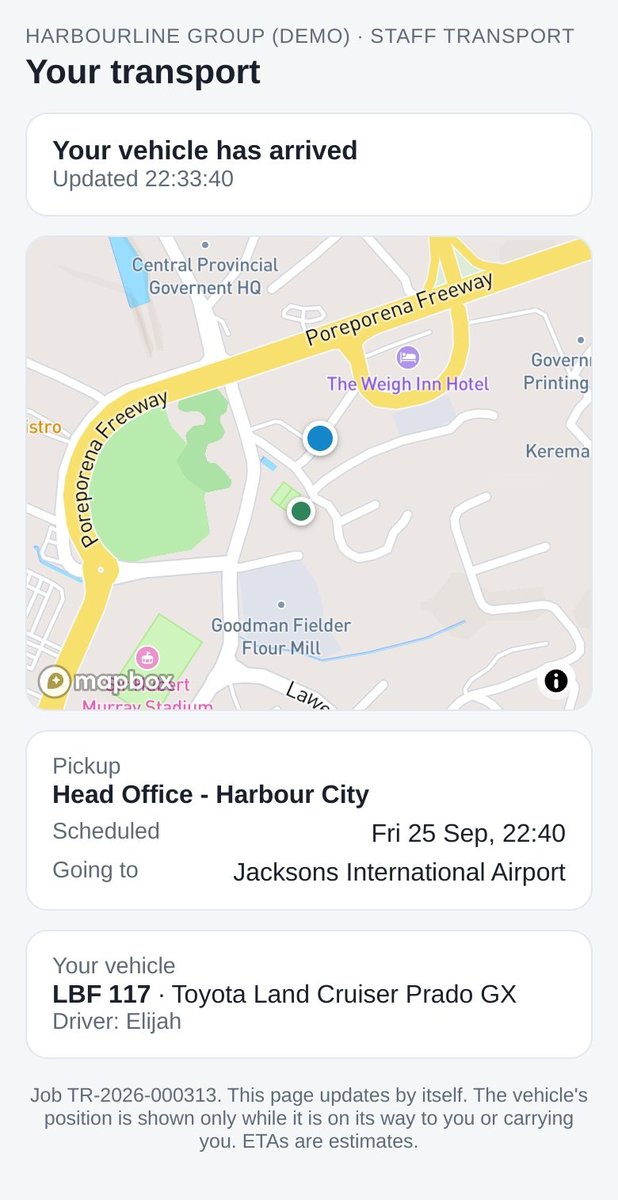
Passengers get their own link. It shows the vehicle only while it is coming for them, with an estimated arrival.
No login, no app, and never another passenger's name.
"Your vehicle has arrived."
Live GPS
Live GPS tracking and arrival detection
Positions come from the Teletrack-connected tracker on each vehicle (CalAmp units aren't supported yet), so arrivals are recorded by GPS, not just by a tap.
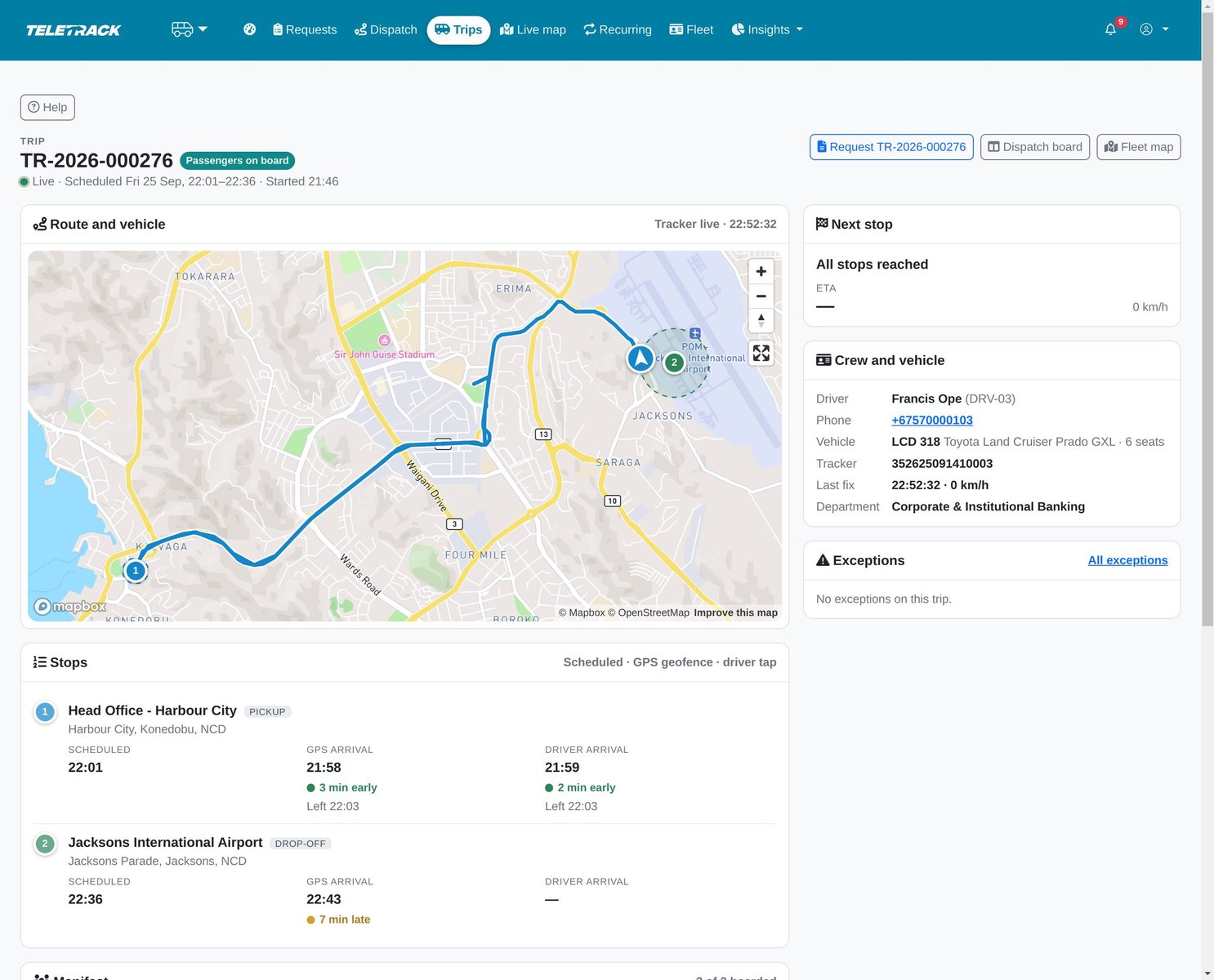
- Arrivals and departures are recorded when the tracker enters and leaves each place's radius. The driver's taps are kept alongside, and neither overwrites the other.
- Estimated arrival times update with every fresh position. They are estimates, not routed ETAs.
- A live map shows every vehicle's state and the trips under way.
- Staff and passengers see the vehicle only while their own trip is under way.
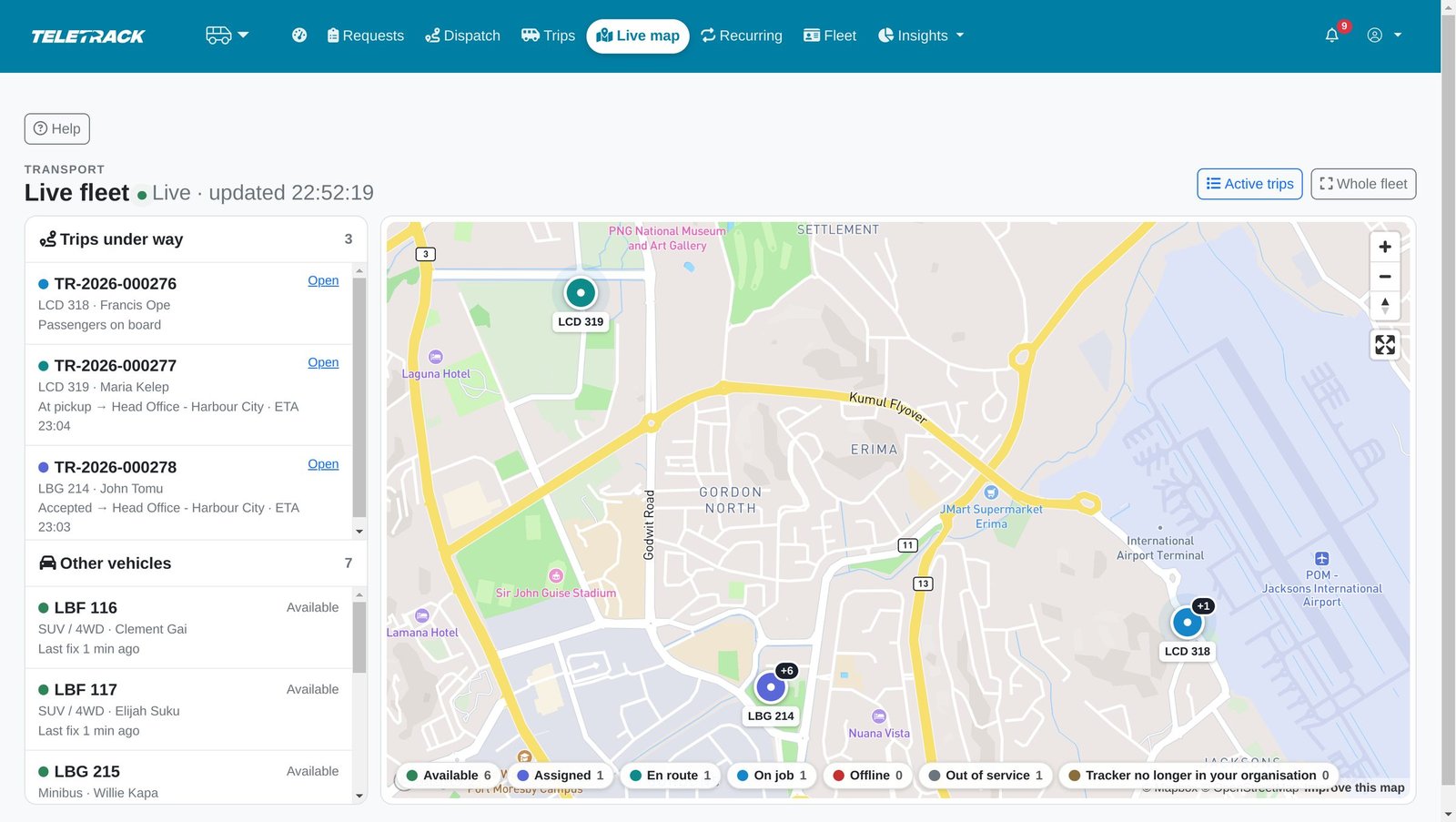
Trips under way and every vehicle's position and state on one map.
Follow any trip live, with GPS-recorded arrivals beside the driver's own taps.
Proof
Tamper-evident trip sheets and passenger manifests
Every completed trip closes with a digital trip sheet, locked on completion. Every change of state is written to an audit log. Both are tamper-evident: a change shows up when they're checked.
- The trip sheet holds the cost coding, scheduled and actual times, the driver and vehicle, each stop's GPS and driver times, the passengers, and, when captured, the GPS route and the passenger's signature.
- Distance is measured from the GPS track. A sheet is marked GPS verified only when the tracker recorded the trip.
- Each sheet carries a SHA-256 fingerprint that is also written to the audit log, and it's checked every time the sheet is opened.
- The audit log is a chain: each entry is fingerprinted against the one before. Administrators can check the whole chain at any time.
- Anyone with access to the trip can download its sheet as an A4 PDF.
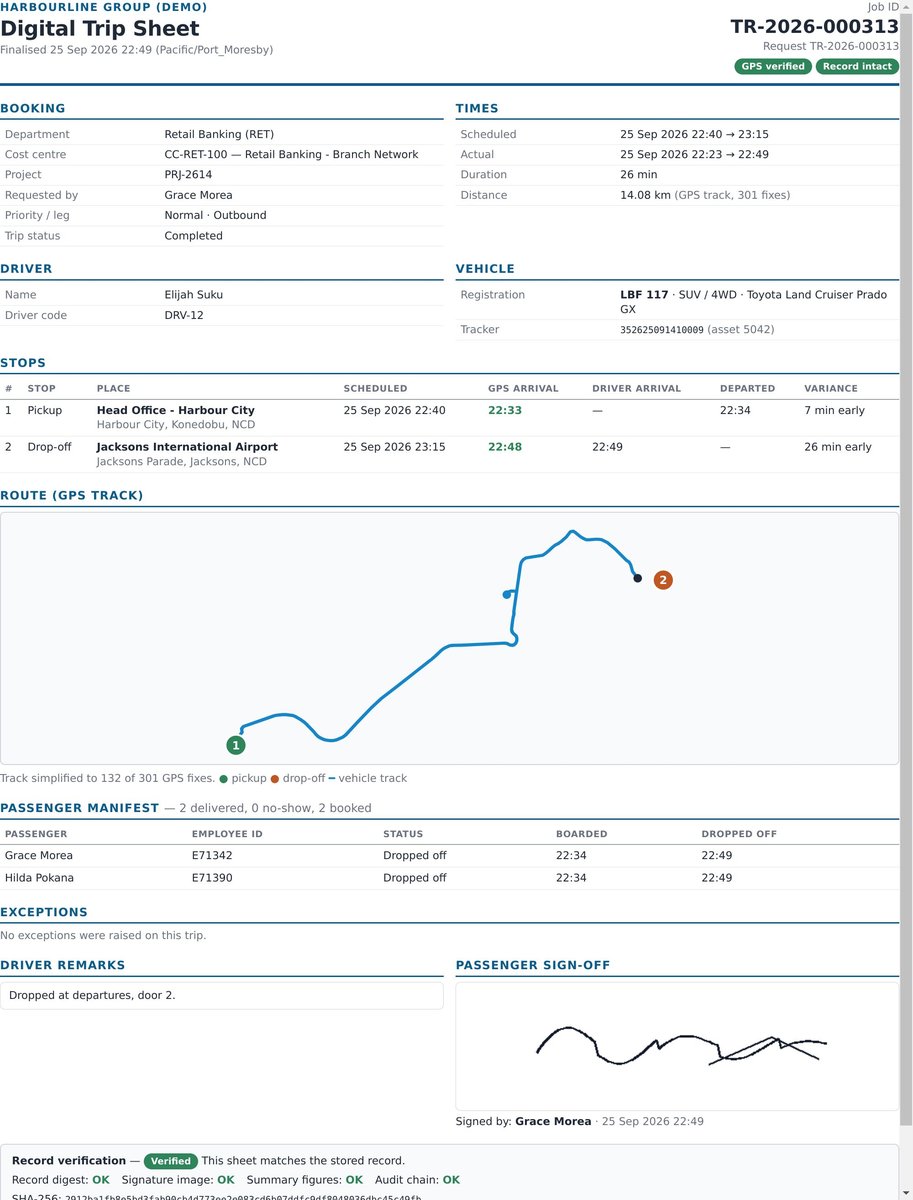
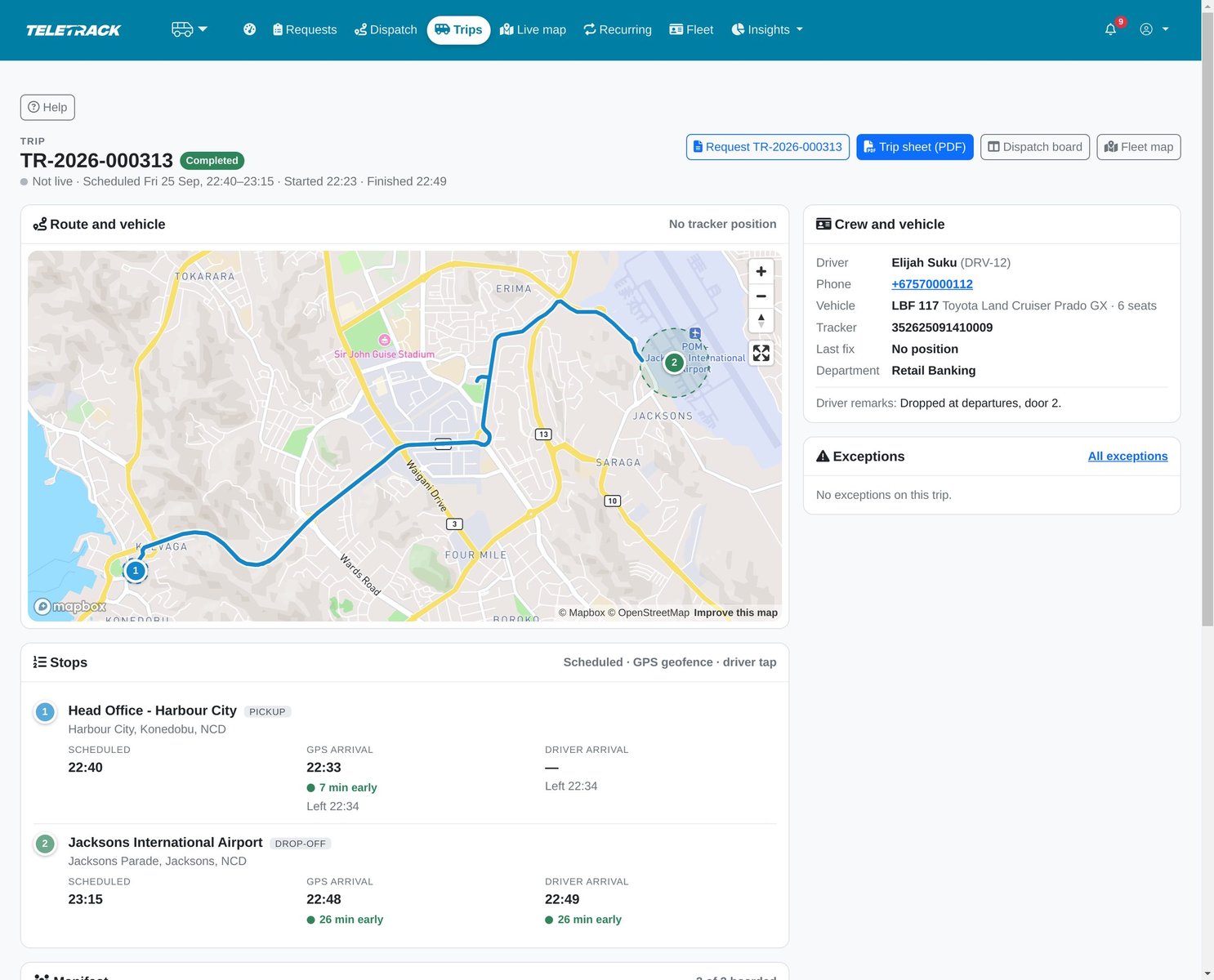
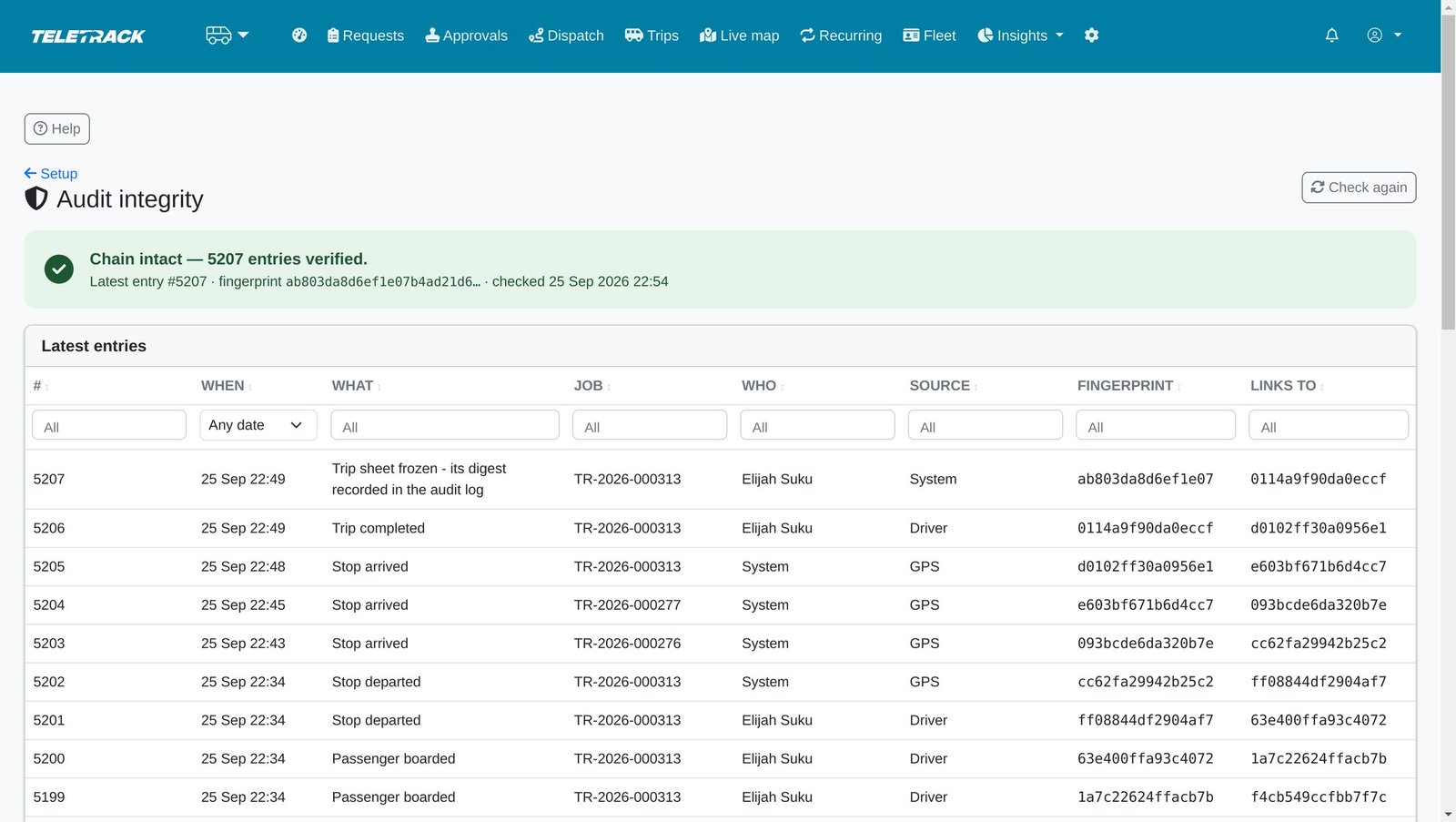
Every completed trip freezes a trip sheet: GPS distance, times against the plan, passengers and signature, with a fingerprint recorded in a tamper-evident audit log.
The completed trip compared with the plan, stop by stop.
Every action is written to an append-only log where each entry is chained to the one before. Any change would show.
For management and finance
Transport reporting and cost-centre charge-back
Management sees the operation live on one dashboard. Finance can charge transport back to the cost centres that used it.
- Today: requests, approvals waiting and overdue, trips in progress and completed, late pickups and open exceptions.
- On-time pickups today and over the last 7 days, with charts for the last 14 days.
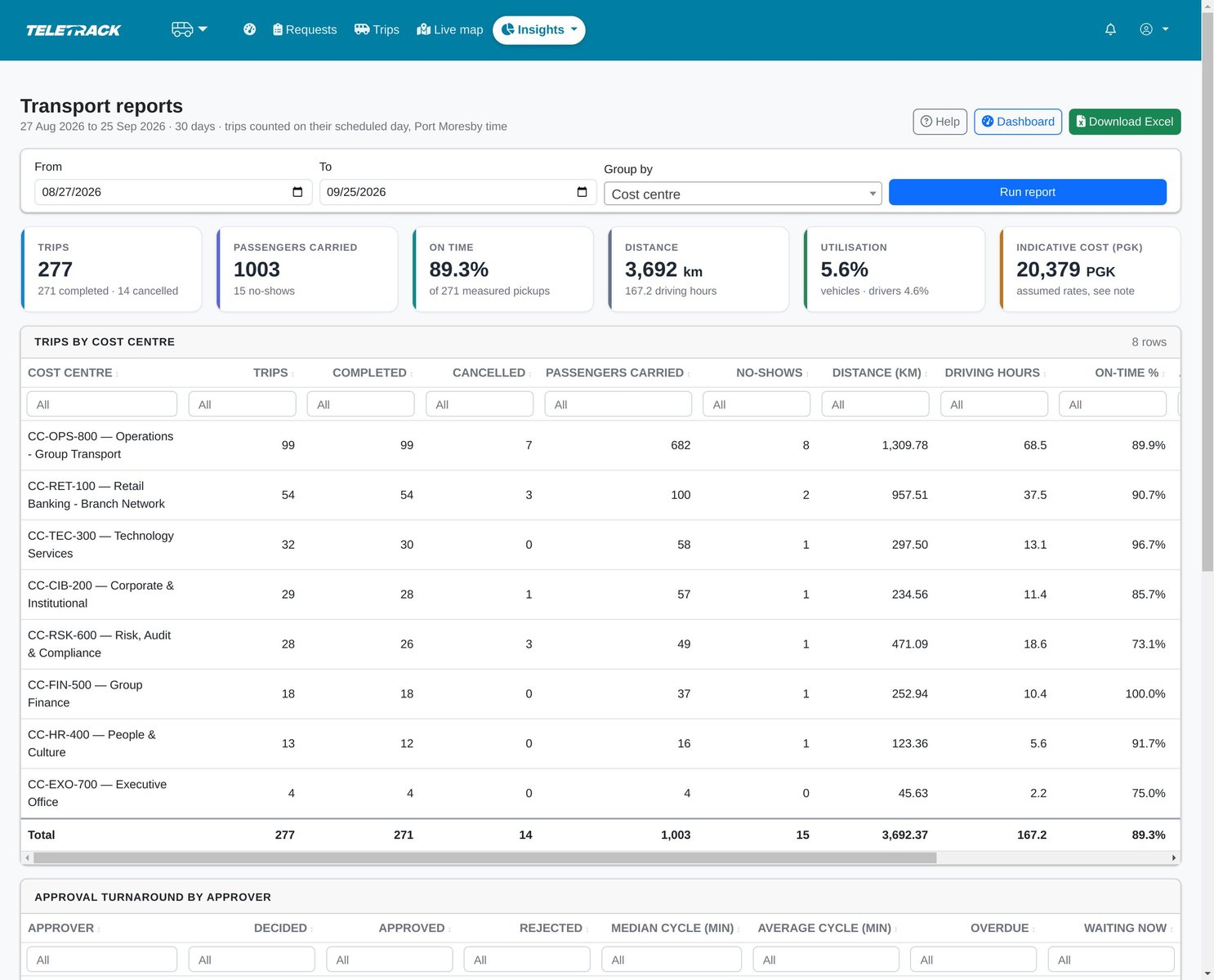
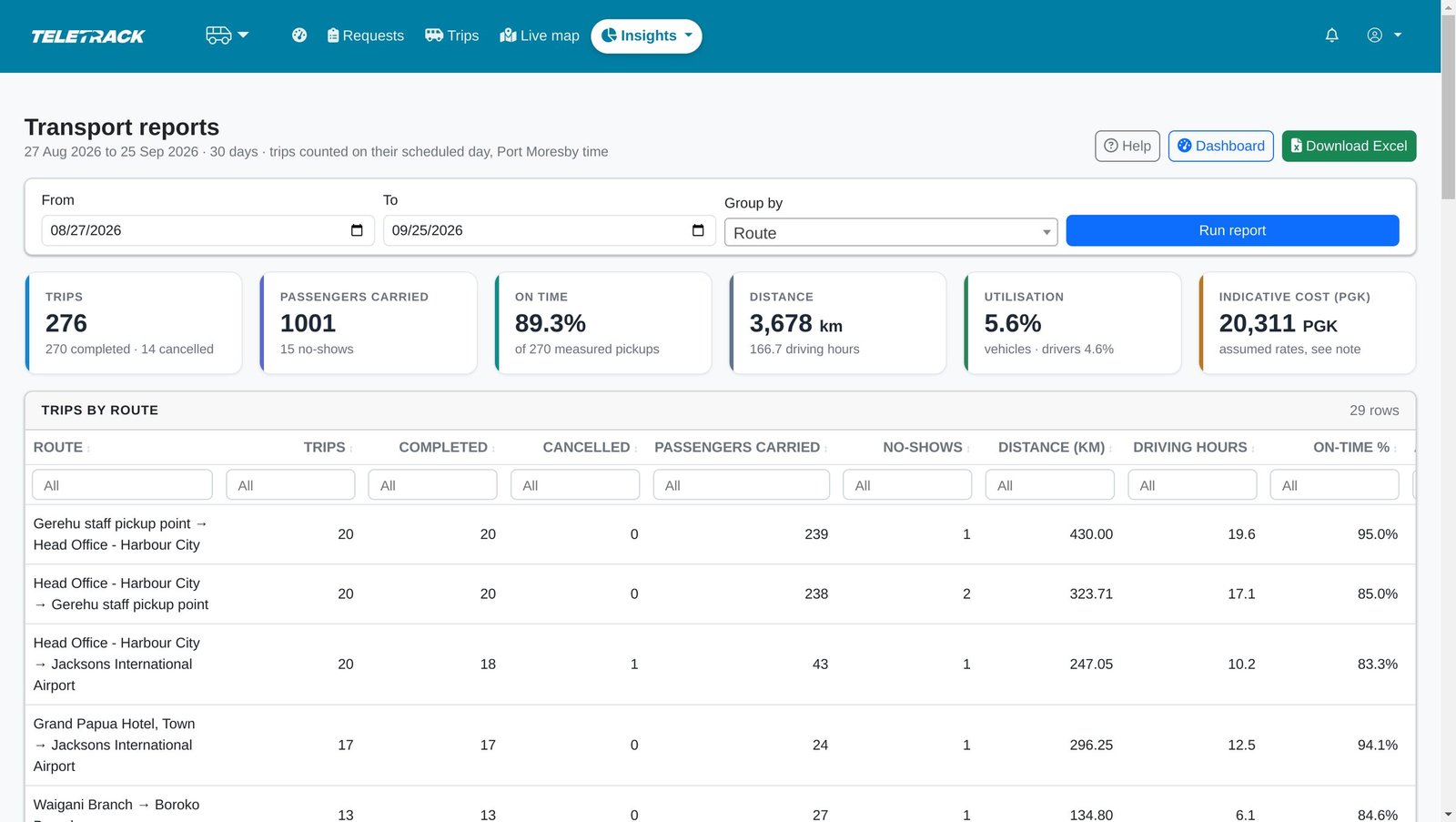
- Reports for any period up to a year by department, cost centre, vehicle, driver or route: trips, passengers, no-shows, distance, driving hours, on-time % and cost.
- Cost is the GPS-measured distance × your per-km rate for each vehicle type, so a trip with no GPS track carries no cost. It's a cost allocation for charge-back, not an invoice.
- Approval turnaround for every approver. Every report exports to Excel with its definitions printed.
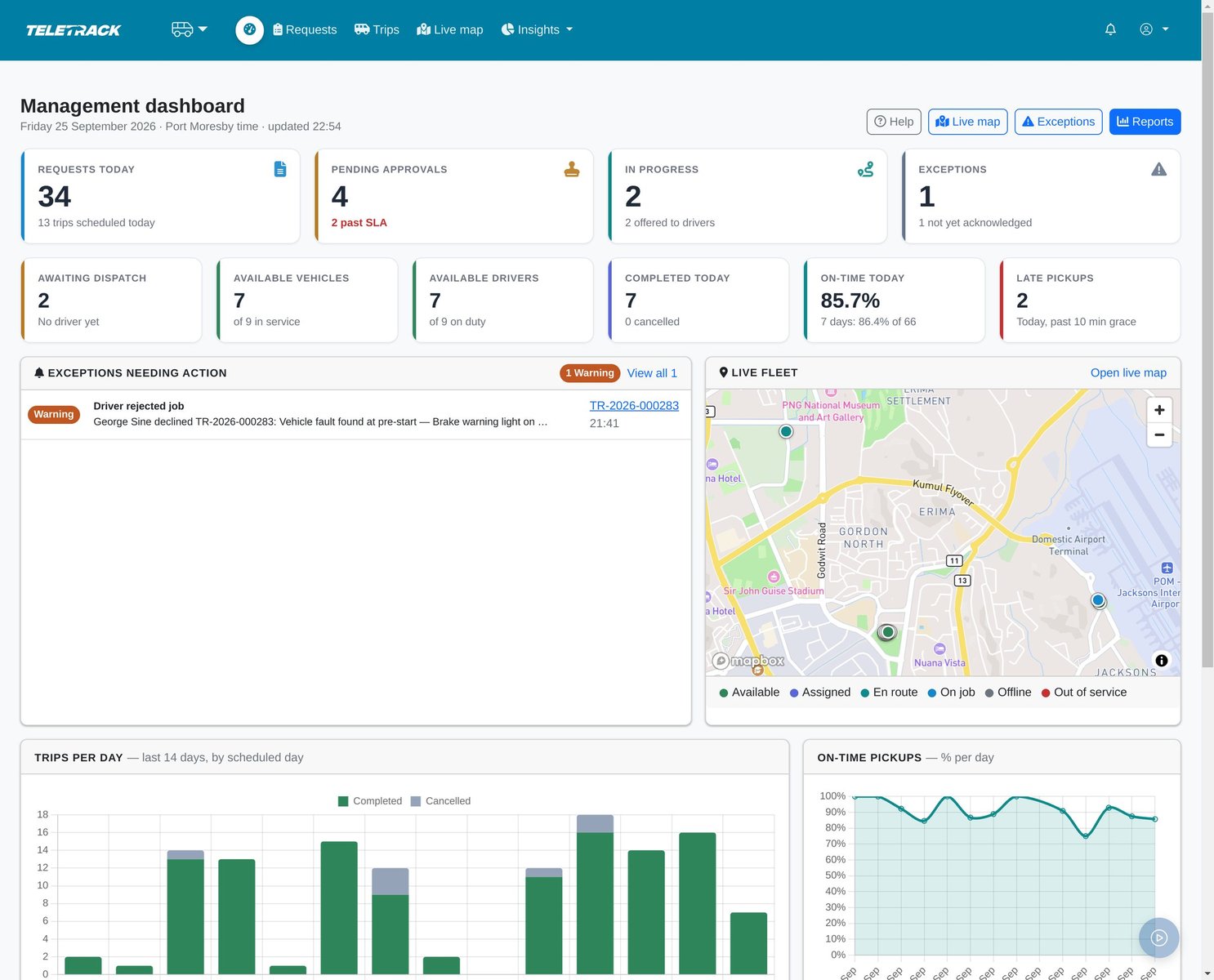
The operation today and over time, on one screen.
Trips, kilometres, hours and cost by cost centre, ready to charge back. Downloads to Excel.
The same figures by route, department, vehicle or driver.
Recurring runs
Staff shuttles and recurring crew runs
Standing runs such as staff shuttles and crew runs are set up once, with their days, pickup time, riders and a regular driver and vehicle.
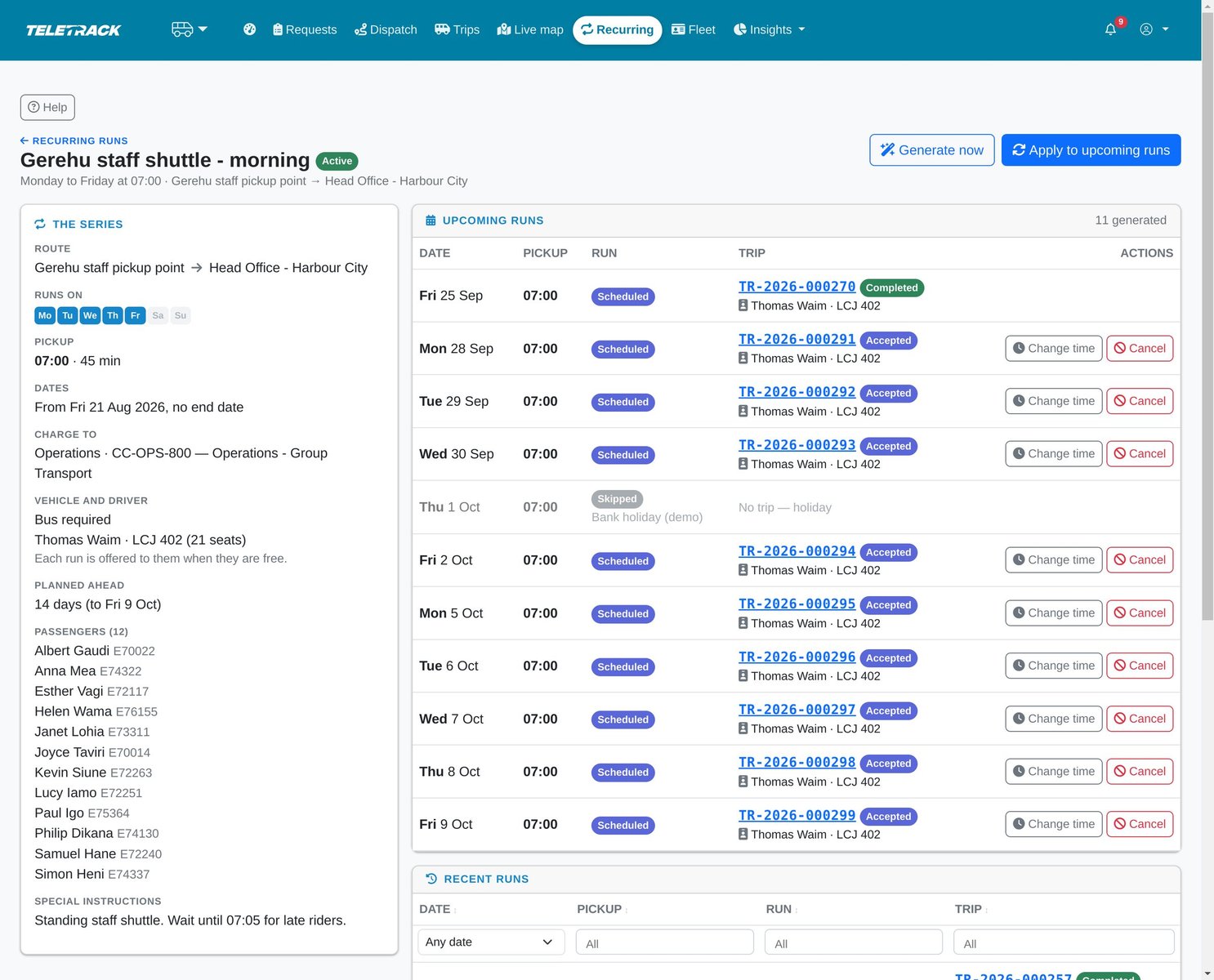
- Runs are generated ahead, and each day gets its own trip and Job ID.
- Each run is offered to the regular driver when they're free. Otherwise dispatch is told.
- Days on your holiday list are skipped. Public holidays aren't pre-loaded, so add yours before their runs are generated. Move or cancel a single day without changing the series.
- Only a supervisor or transport administrator can set up a series, because its runs carry a standing approval.
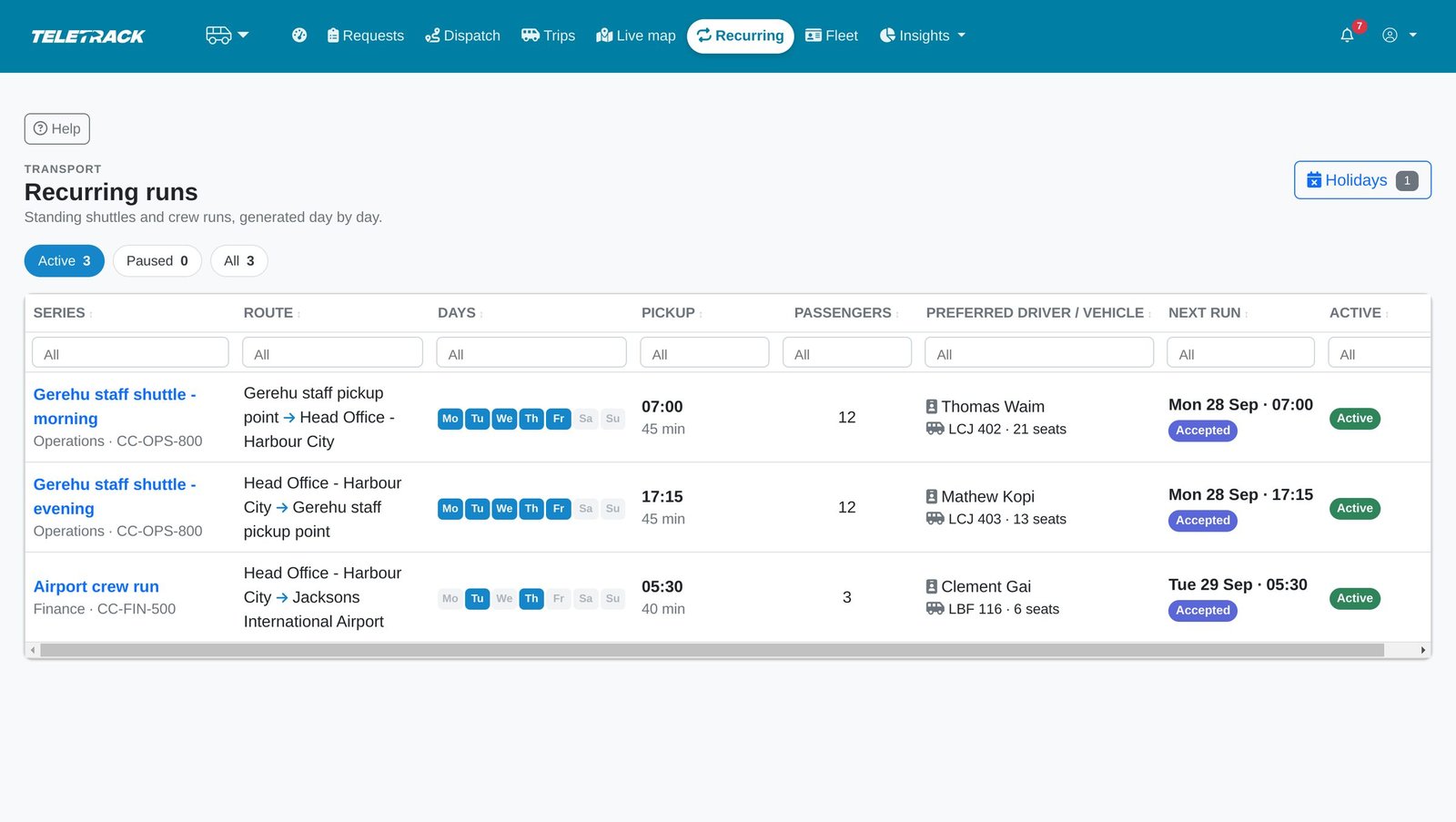
Standing shuttles and crew runs are set up once.
Runs are generated ahead and accepted by the regular driver. Days on your holiday list are skipped.
For administrators
Administration: approval rules, staff directory and places
Staff transport has its own seven roles, separate from your fleet permissions, so a transport-only login doesn't see the wider fleet. Every action is checked on the server.
- Approval rules by department, cost centre, project code, priority, distance or group size. Preview a rule before you rely on it.
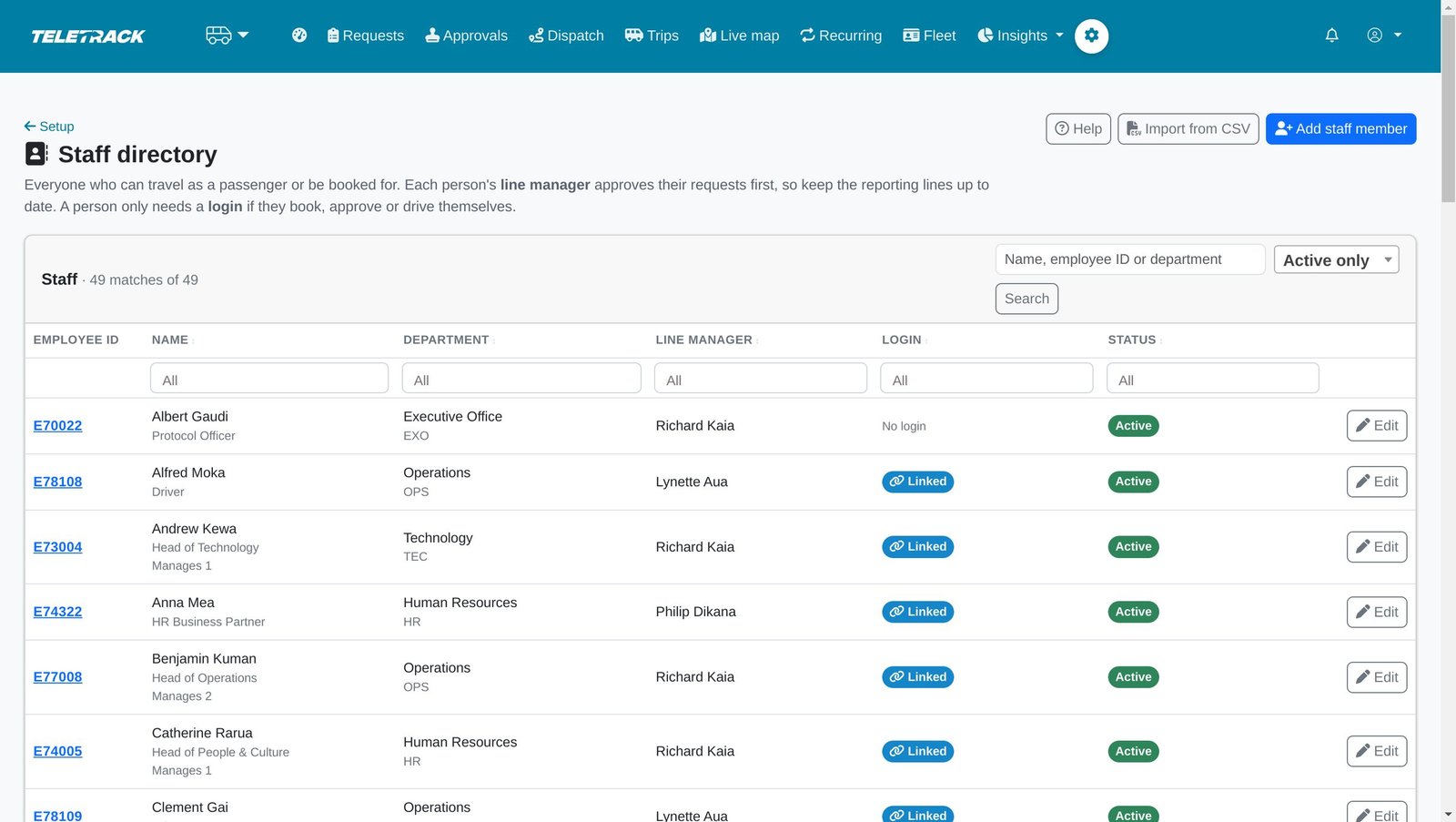
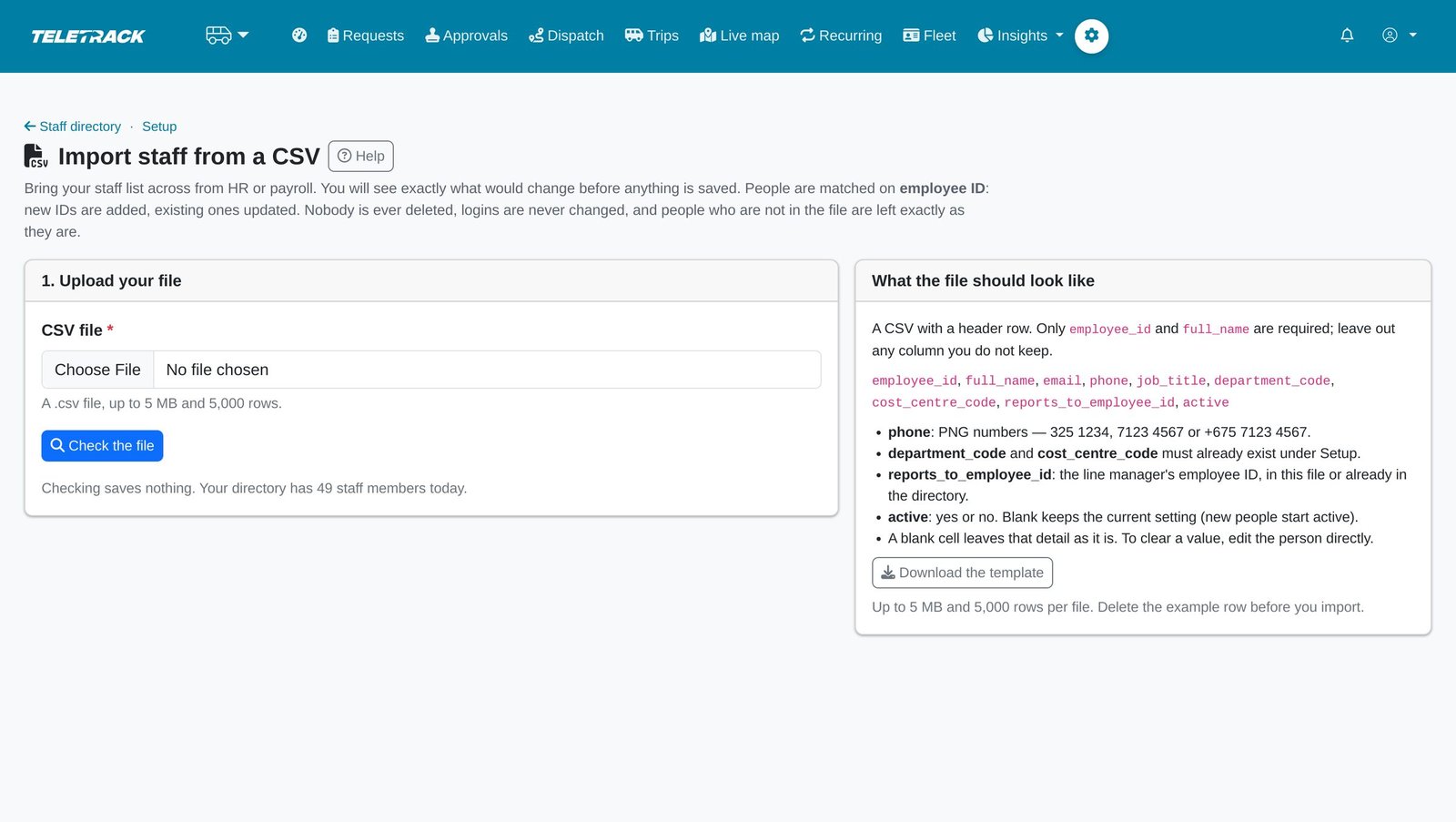
- Load the staff directory from an HR or payroll CSV. A preview shows exactly what will change, and nothing is saved until every row passes.
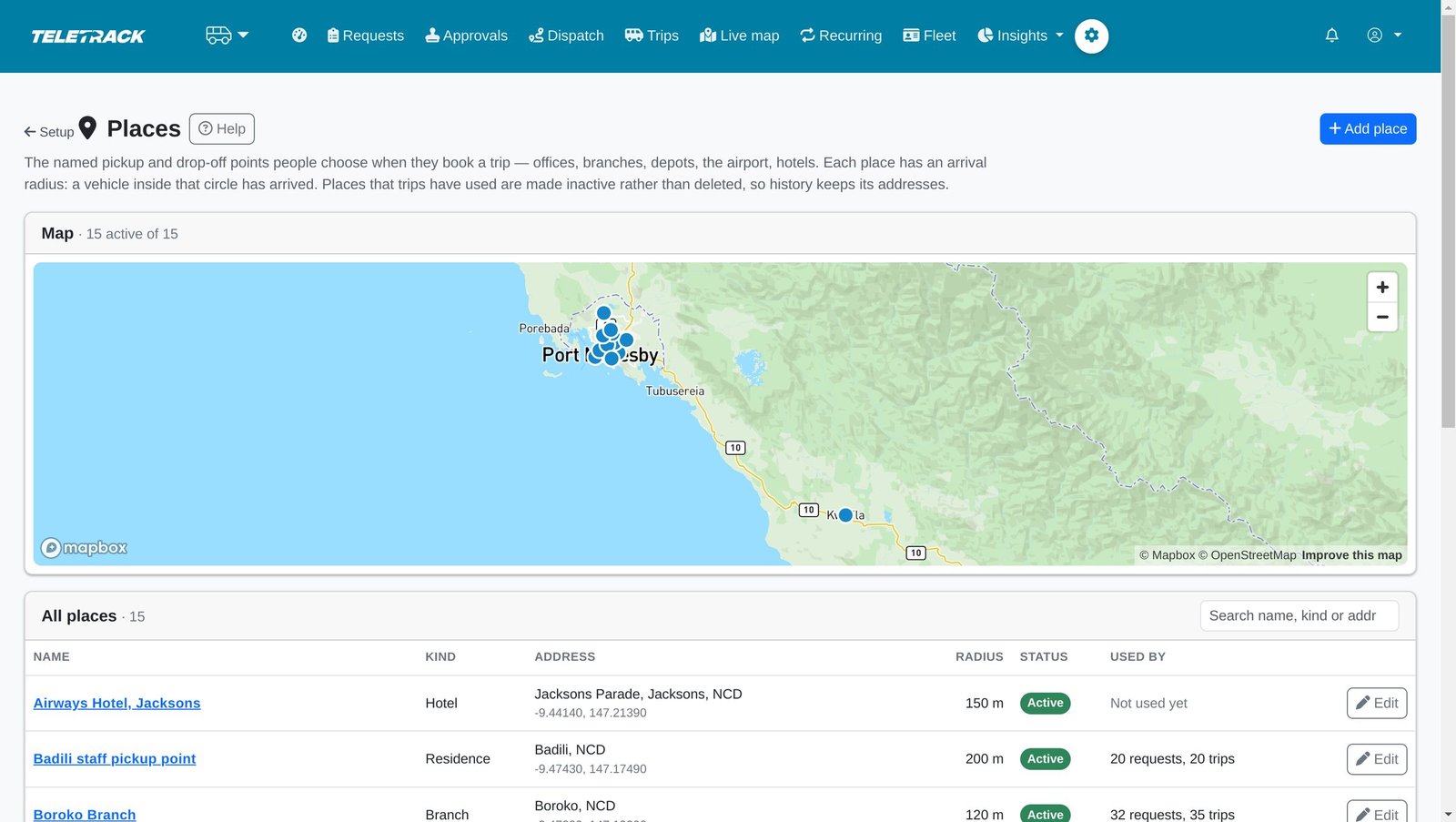
- Named pickup and drop-off places on a map, each with its arrival radius.
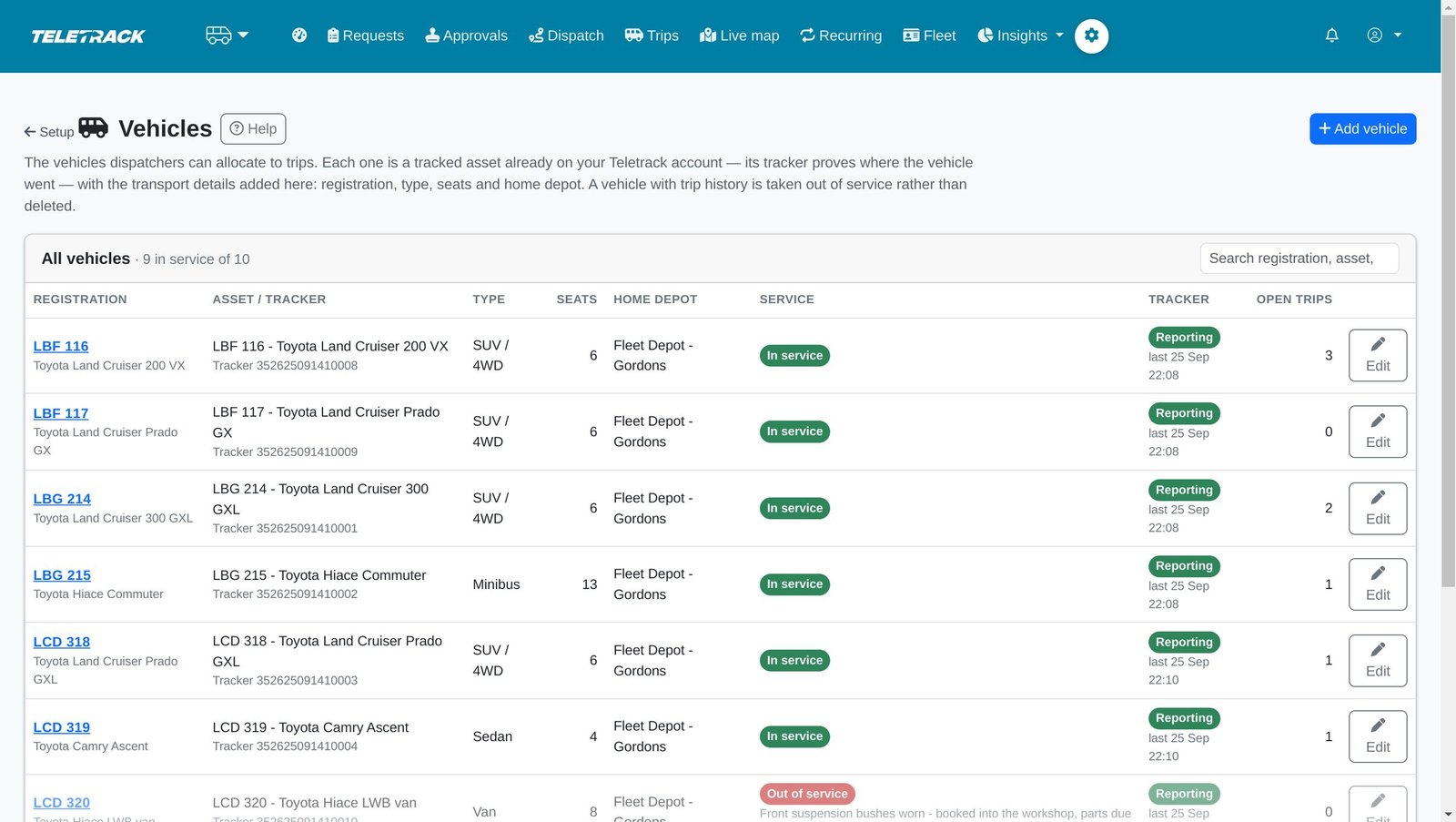
- Vehicles are tracked assets already on your Teletrack account. Drivers carry licence class and expiry.
- Settings you choose: timezone, currency and per-km rates, approval time limit, second-approval distance, late-pickup grace, arrival radius and more.
- A setup checklist shows what's still missing.
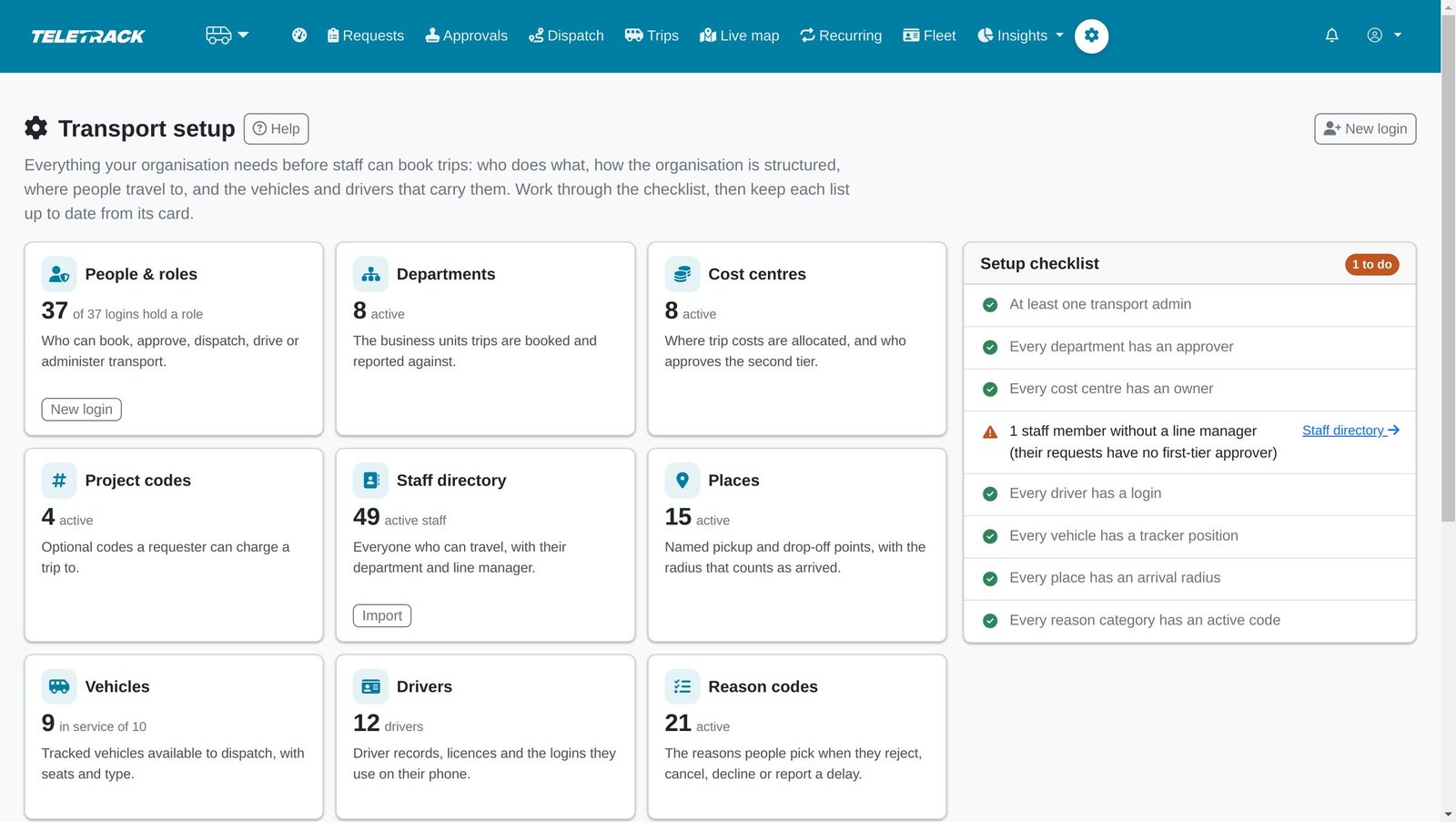
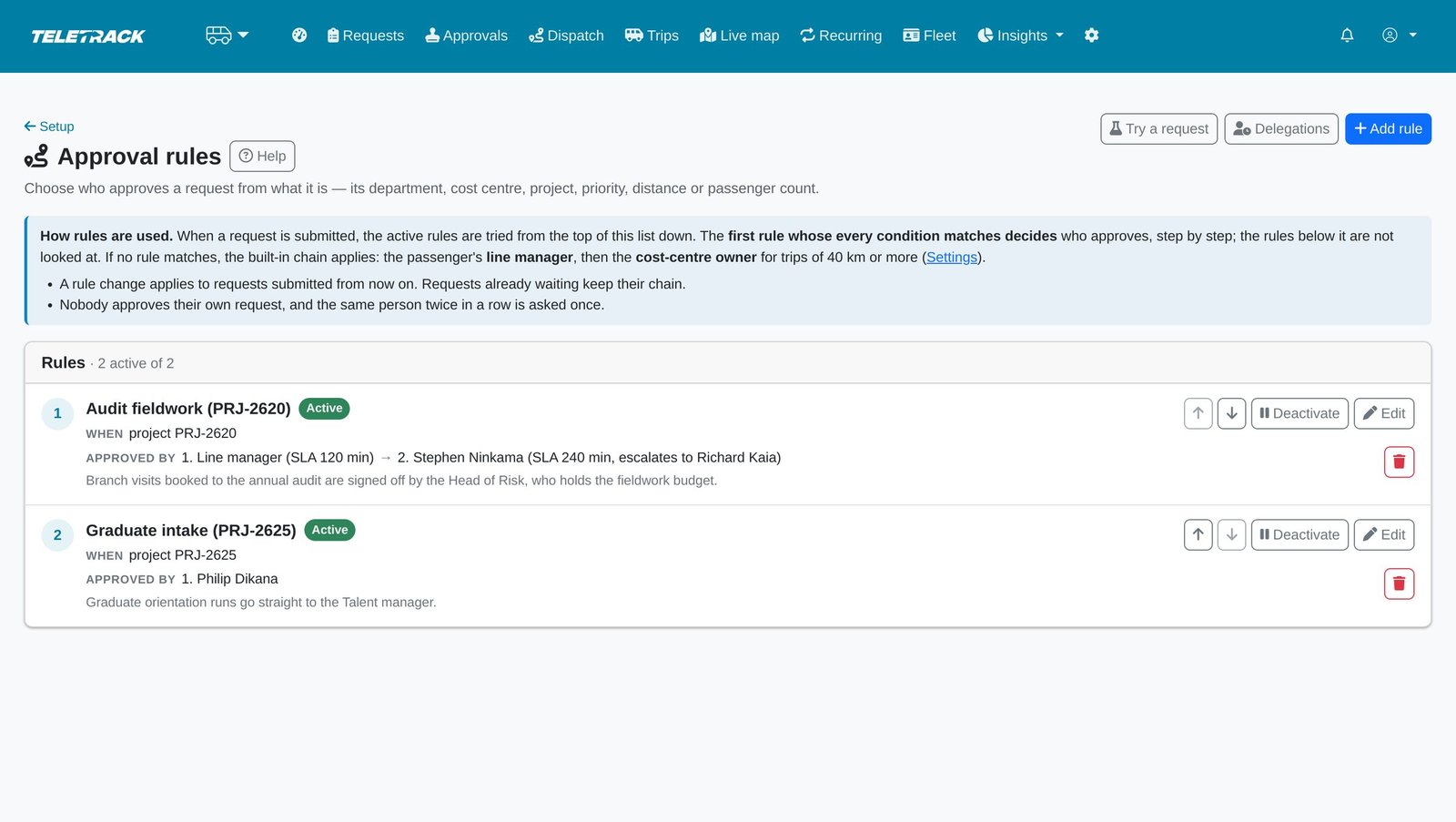
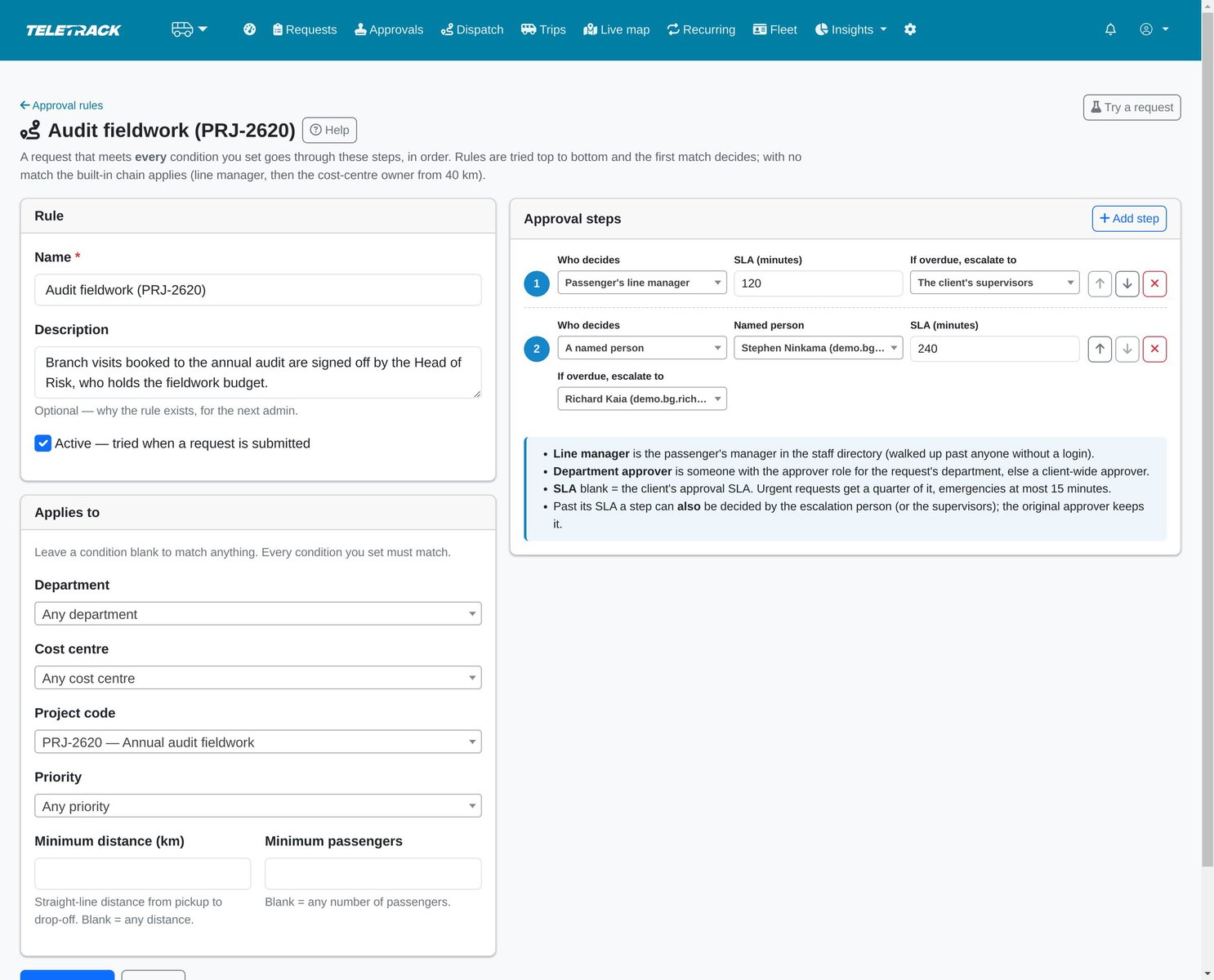
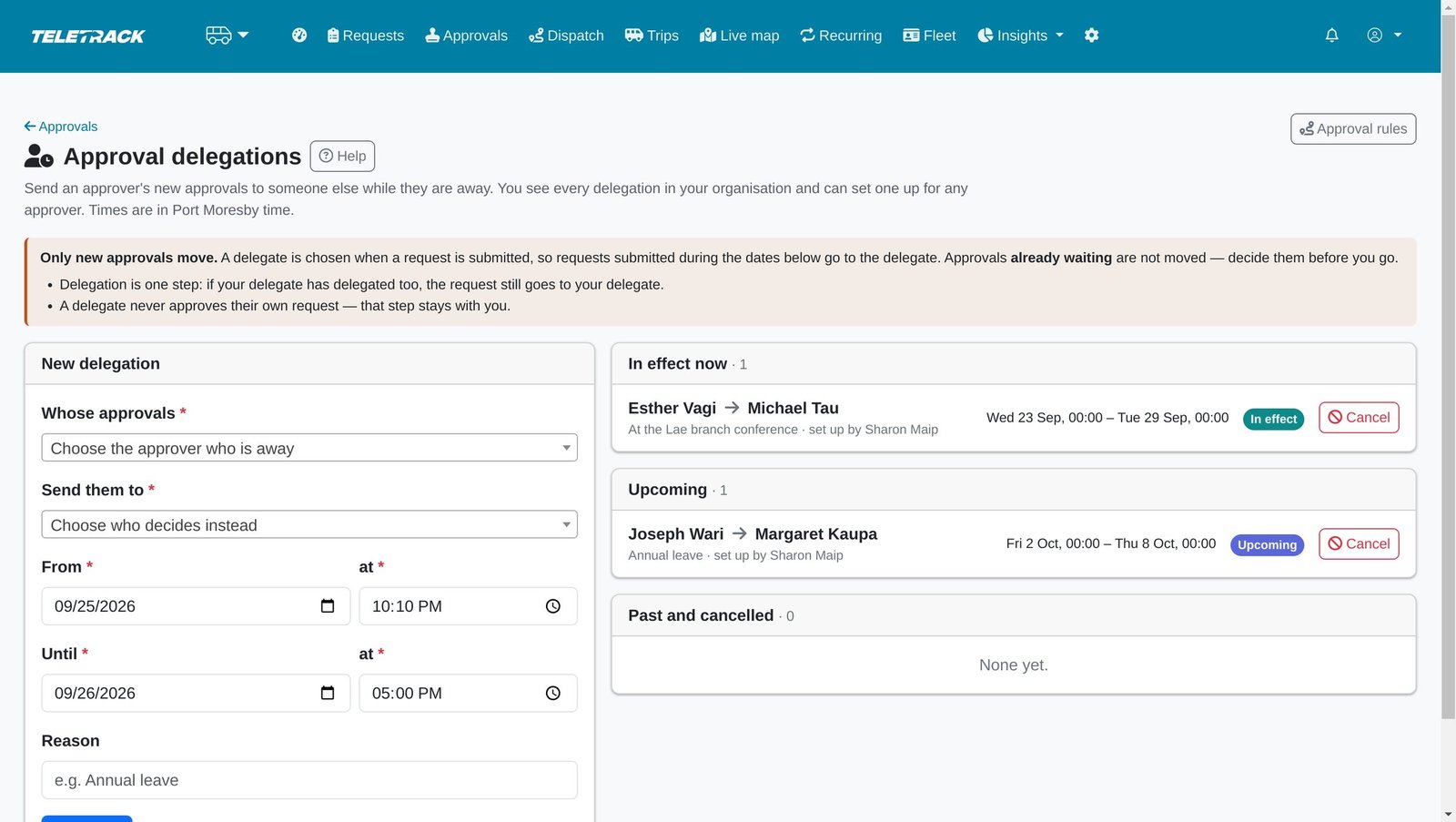
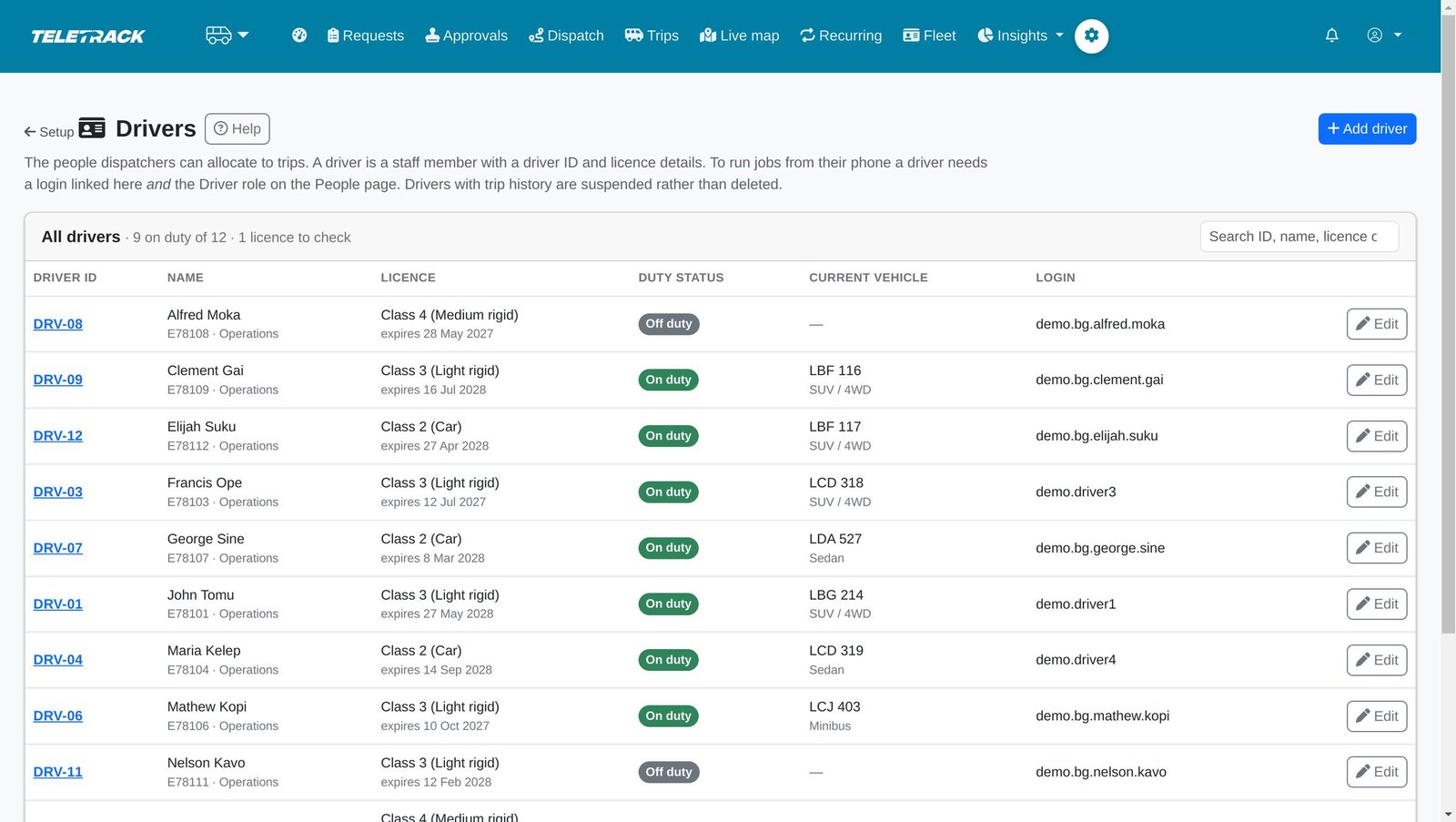
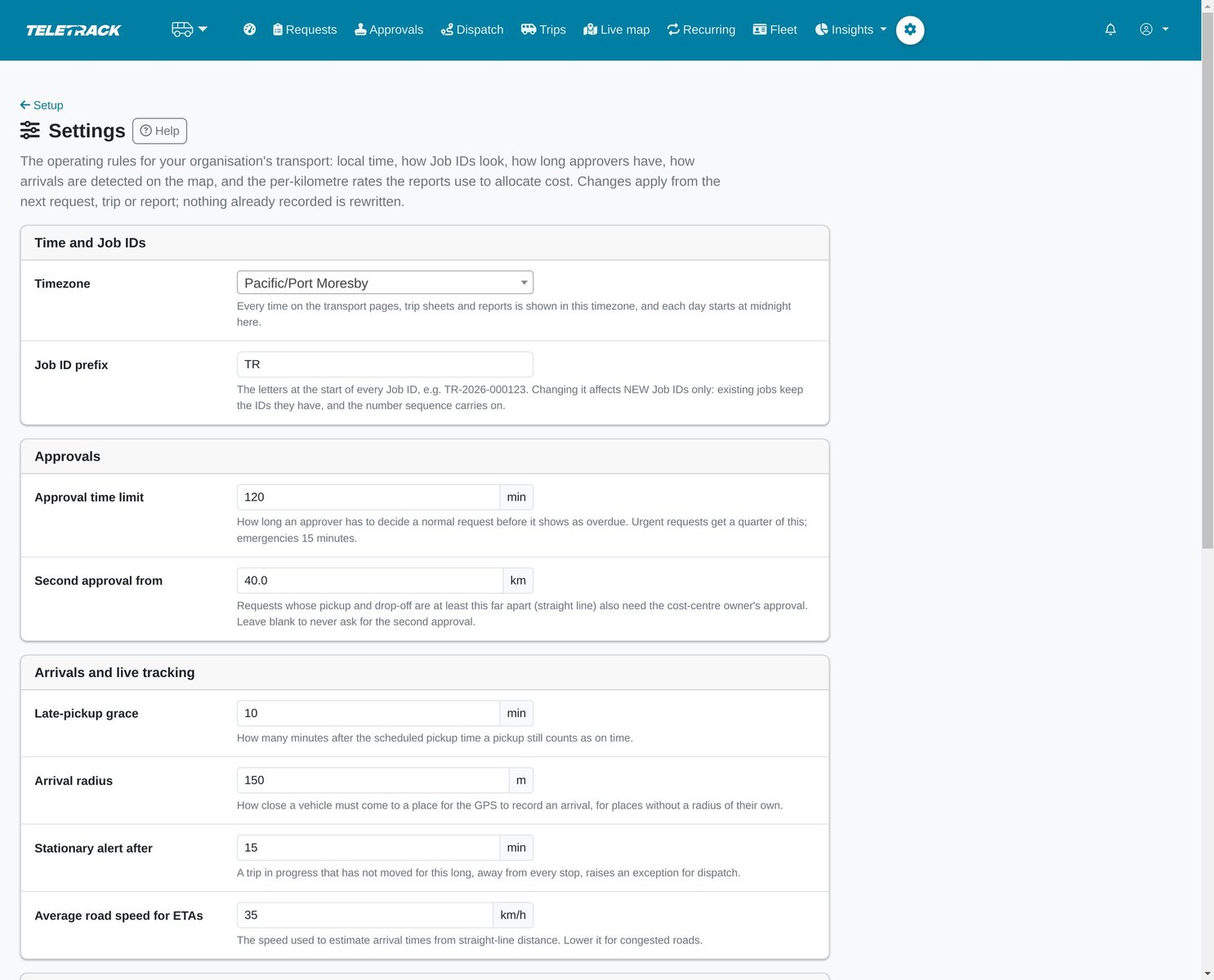
Everything the organisation needs, with a checklist of what is still missing.
Rules decide who approves: by department, cost centre, project, priority, distance or group size.
Each step has a time limit and someone to escalate to.
Approvals keep moving while someone is on leave.
The line manager in the directory is who approves each person's trips.
Load the staff list from HR or payroll. The check shows what will change before it is saved.
Named places with the radius the GPS uses to record an arrival.
Transport vehicles are tracked assets already on your Teletrack account.
Licence expiry is checked before a job is offered.
Service levels and thresholds set per organisation.
Notifications
In-app always. Email and SMS when you switch them on.
Requesters, approvers, dispatchers and drivers get an in-app notification at each step that concerns them. Email and SMS stay off until your organisation switches them on. There are no push notifications.
- Administrators choose which events go by email and which by SMS.
- SMS is sent through your organisation's own Twilio account.
- A delivery log records every email and SMS attempted, including those held back.
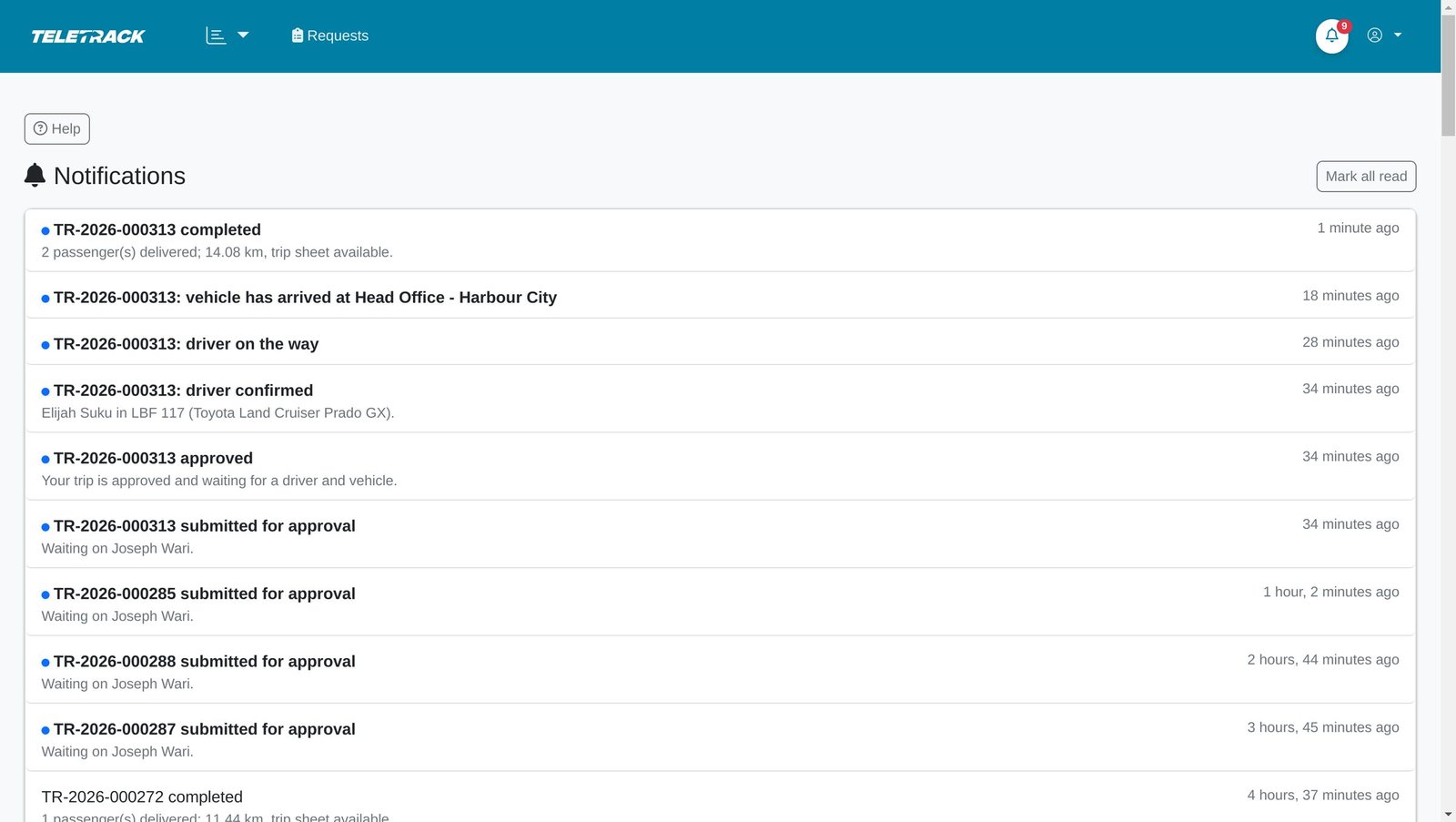
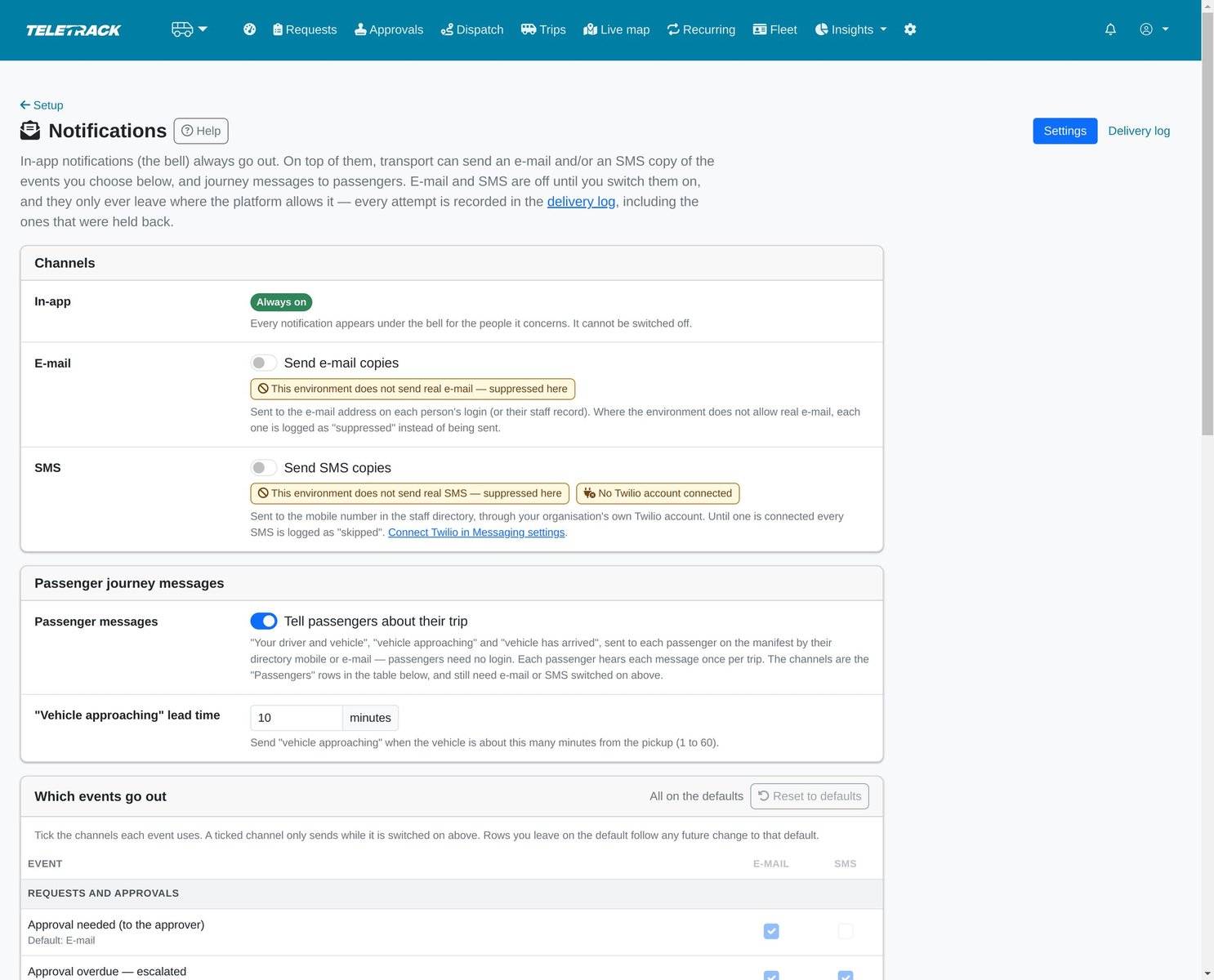
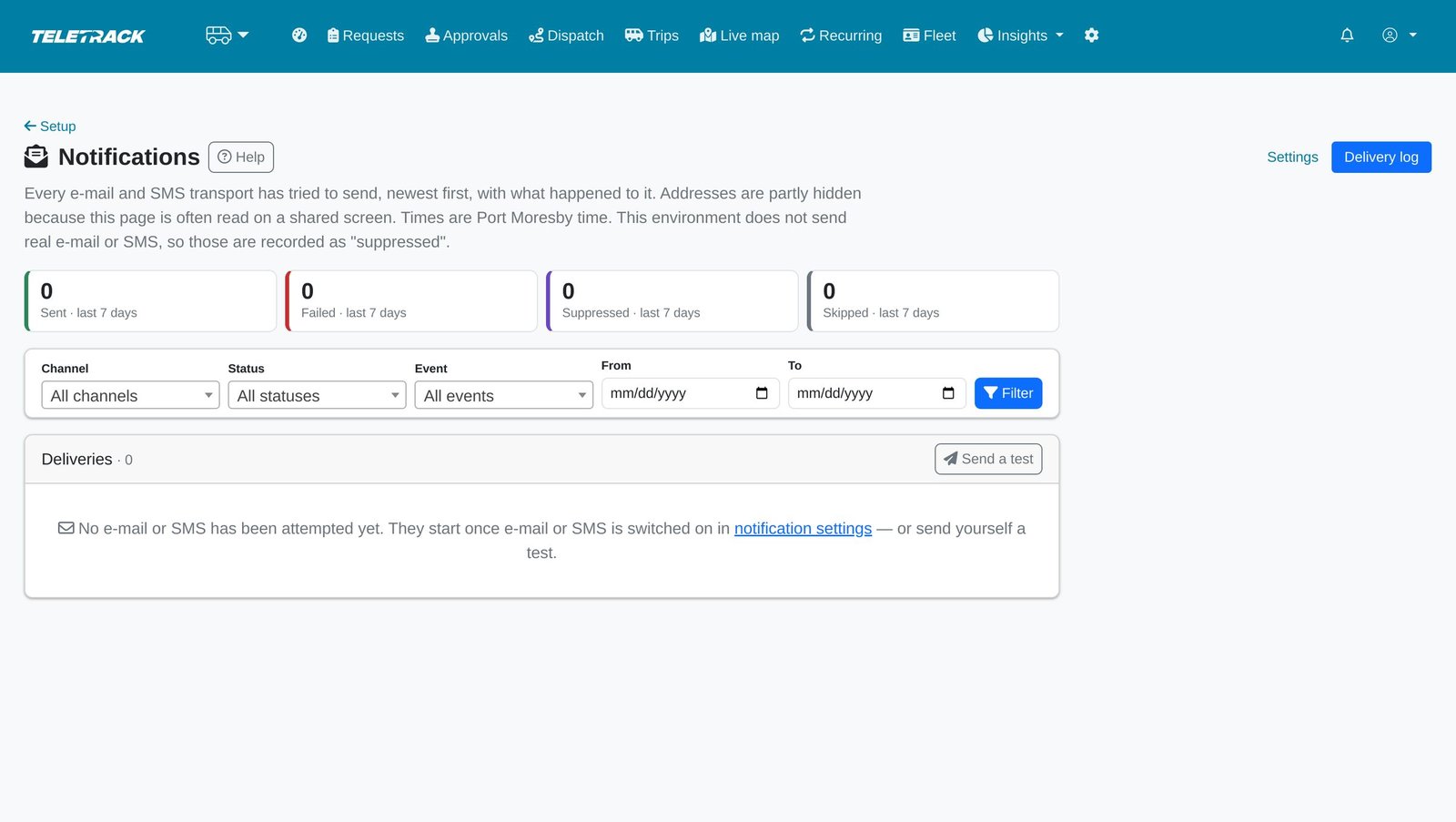
People are told at every step in the app, and by email once your organisation switches it on.
Email and SMS stay off until you switch them on. SMS uses your own Twilio account.
Every message attempt is logged, including those held back.
AI assistant
Answers questions and drafts bookings. It never changes anything.
With the AI Assistant on your account, the transport pages have an assistant that can look things up and draft bookings. It has no way to book, approve, allocate or cancel.
- Ask where a car is and get the trip's status and estimated arrival.
- Dispatch can ask for a summary of the day and the pickups at risk of running late.
- Describe a trip in plain language and get a pre-filled booking form. A person checks it and submits it.
- It follows each user's role, so staff see only their own trips.
Compare
How Staff transport compares
There are three kinds of software for moving staff. Here is where Teletrack fits.
| Feature | Teletrack Staff transport | Enterprise commute platforms | Pool-car booking |
|---|---|---|---|
| Built for | Driver-assigned staff trips, shuttles and crew runs | Routing thousands of commuters on pooled runs | Staff self-driving shared vehicles |
| Approval chain | Line manager + cost-centre owner, with your own rules | Varies | Basic |
| Trip record | Tamper-evident trip sheet with SHA-256 fingerprint | Trip logs | Booking history |
| Cost allocation | By cost centre, from GPS kilometres | Per contract | Per booking |
| Hosting | Australia (AWS Sydney) | Often offshore | Varies |
| Pricing | Published, $5 per user per month | Quote-only | Per vehicle |
Common questions
What is Teletrack Staff transport?
Staff transport is employee transport management software inside the Teletrack platform. It covers trip booking, manager approval, dispatch, a driver phone page, passenger tracking links and a tamper-evident trip sheet for every completed trip. It is built and hosted in Australia.
Is Staff transport a transport management system (TMS)?
Not in the freight sense. A TMS usually manages shipments, carriers and deliveries. Staff transport is employee transport management: it moves your organisation's own people and records each trip for audit and cost.
How is it different from pool vehicle booking?
Pool vehicle booking lends a car to the person travelling. Staff transport books a trip, routes it for approval, assigns a driver and vehicle, tracks it live and closes it with a locked trip sheet, signed by the passenger where a signature is collected.
Can it run staff shuttles and crew buses?
Yes. Recurring runs are set up once, with days, pickup times, riders and a regular driver and vehicle. Each day's run is generated ahead and offered to the regular driver when they're free; otherwise dispatch is told. Each trip currently has one pickup and one drop-off.
Where is our data hosted?
In Australia, on AWS Sydney, inside the Teletrack platform. Every action is checked on the server against the person's role and organisation.
Which industries use it?
Organisations that run their own sedans, 4WDs, vans, minibuses or buses for staff, such as construction and civil contractors, mining and resources, local government, health services and campuses.
How much does it cost?
Staff transport is part of the Workforce package — $5 per user per month total, ex GST, for Timesheets + Inductions + Dockets + Dispatch + Staff transport + Safety together. We switch it on for your organisation inside your Teletrack account. Priced per user, not per device. Month-to-month, no lock-in contracts.
What hardware do our vehicles need?
Each transport vehicle is linked to a tracked asset on your Teletrack account. GPS-recorded arrivals and GPS-verified trip sheets need a Teletrack-connected tracker on the vehicle. Vehicles connected through CalAmp aren't read by Staff transport yet, so they get no live position, GPS arrivals or measured distance. Without GPS, arrivals rely on the driver's taps, the trip sheet says it isn't GPS verified, and the trip has no measured distance or cost.
Do drivers need a special phone or app?
No. The driver app is a mobile web page they sign in to, with nothing to install. It needs a data connection. Directions open in Google Maps.
Who approves a trip, and can someone approve their own?
By default the passenger's line manager approves, and the cost-centre owner is added for long trips. You can write your own rules. Nobody in the approval chain approves their own trip.
Two things skip the chain, both limited to supervisors and transport administrators and both audited: an emergency bypass, which needs a written justification and is flagged to the others for review, and recurring runs, which carry a standing approval. A transport administrator can also decide any pending approval.
How is cost allocated to cost centres?
Each trip's GPS-measured distance is multiplied by your per-km rate for the vehicle type; a trip without a GPS track has no distance, so no cost. Reports group it by department, cost centre, vehicle, driver or route and export to Excel. Until you set your own currency and rates, placeholder rates are used and the figure is marked indicative.
Can a trip sheet or the audit log be changed after the fact?
Changes show up. Each trip sheet carries a SHA-256 fingerprint that is checked every time it's opened, and the audit log is a chain of fingerprints an administrator can check at any time. That makes the records tamper-evident: a change is detected when checked, though that doesn't make one impossible.
How is our data protected?
Staff transport runs inside the Teletrack platform with its own roles, and every action is checked on the server against the person's role and organisation. Trip sheets and signatures are kept in private storage. A passenger link shows only that passenger's trip and stops working after the trip.
Does it connect to our HR system or single sign-on?
Not live yet. You load the staff directory from an HR or payroll CSV, and a preview shows every change before it's saved. There's no live HR integration or single sign-on yet.
How accurate are the arrival times?
They are estimates from the vehicle's live position, recalculated with every fresh fix. We don't use a routing provider yet. 'Nearest' means the vehicle closest to the pickup, based on its tracker.
What doesn't it do yet?
It doesn't handle freight, multi-stop trips or pooled runs, and it has no offline driver mode, native app or push notifications. There's no live HR integration, single sign-on or public-holiday calendar yet.
Are the screenshots from a real organisation?
No. Every screen on this page comes from a demonstration organisation with fictional people and vehicles, and the vehicle GPS is simulated.
See Staff transport from booking to trip sheet
In 30 minutes we'll take one trip through every role: the booking, the approval, dispatch, the driver's phone, the passenger link and the trip sheet. Or call 02 8279 2727.
More solutions
View all →PROSTART® pre-starts
Pre-starts that immobilise across every hardwired tracker we sell — Digital Matter, Teltonika, Ruptela, and TrakaX®. HammerTech-integrated.
Asset tracking
Live GPS, geofencing, history playback, and theft-response assistance — we'll help you mobilise a police-accessible live tracking link when an asset goes missing. From $21.90 / asset / month.
Maintenance
Draft work orders raised by engine hours, kilometres, schedule, or failed pre-start questions set up to create one. Parts inventory. Technician tablet workflows with photo and signature capture.
Ready to see Staff transport in action?