
Solution
Dispatch
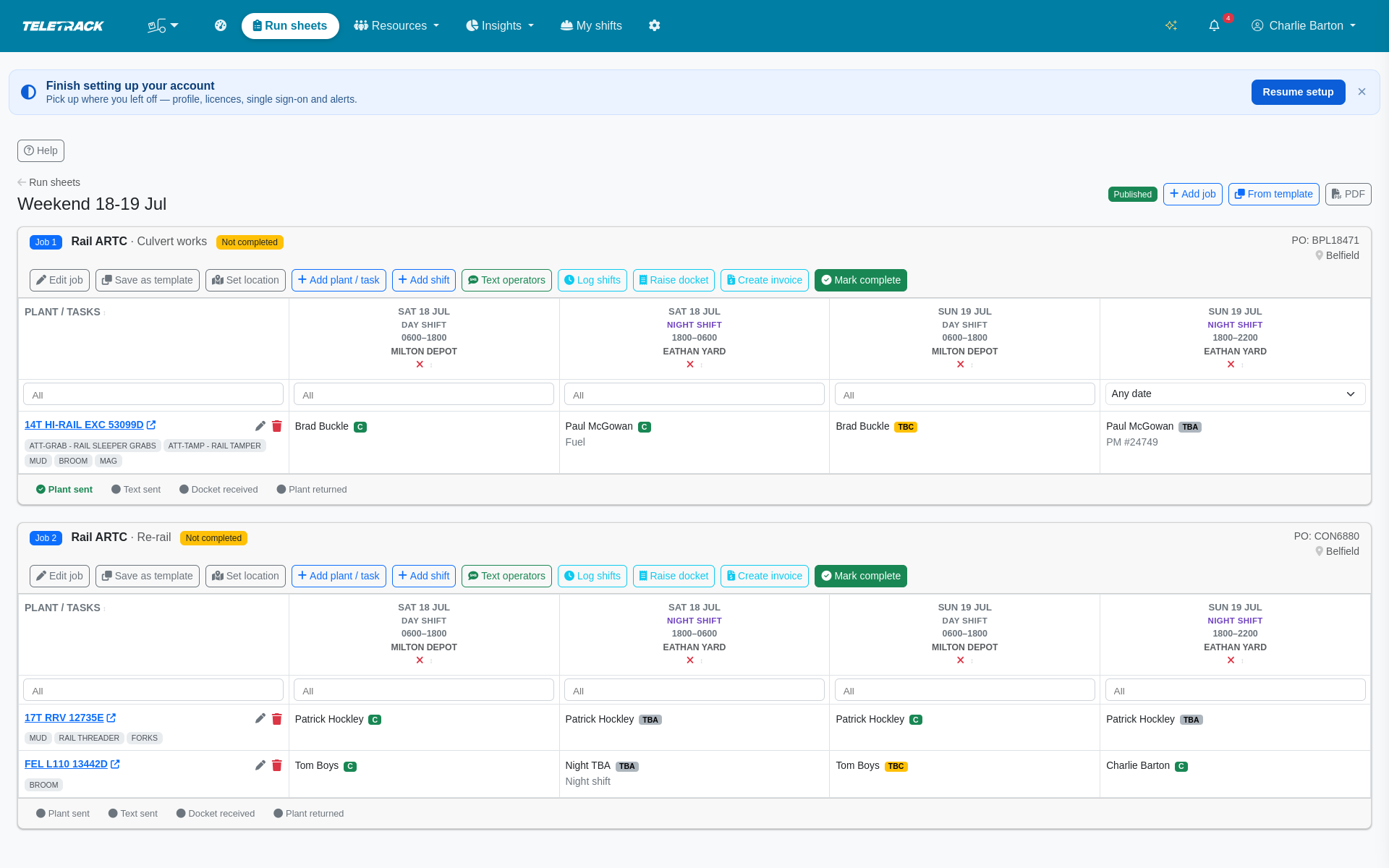
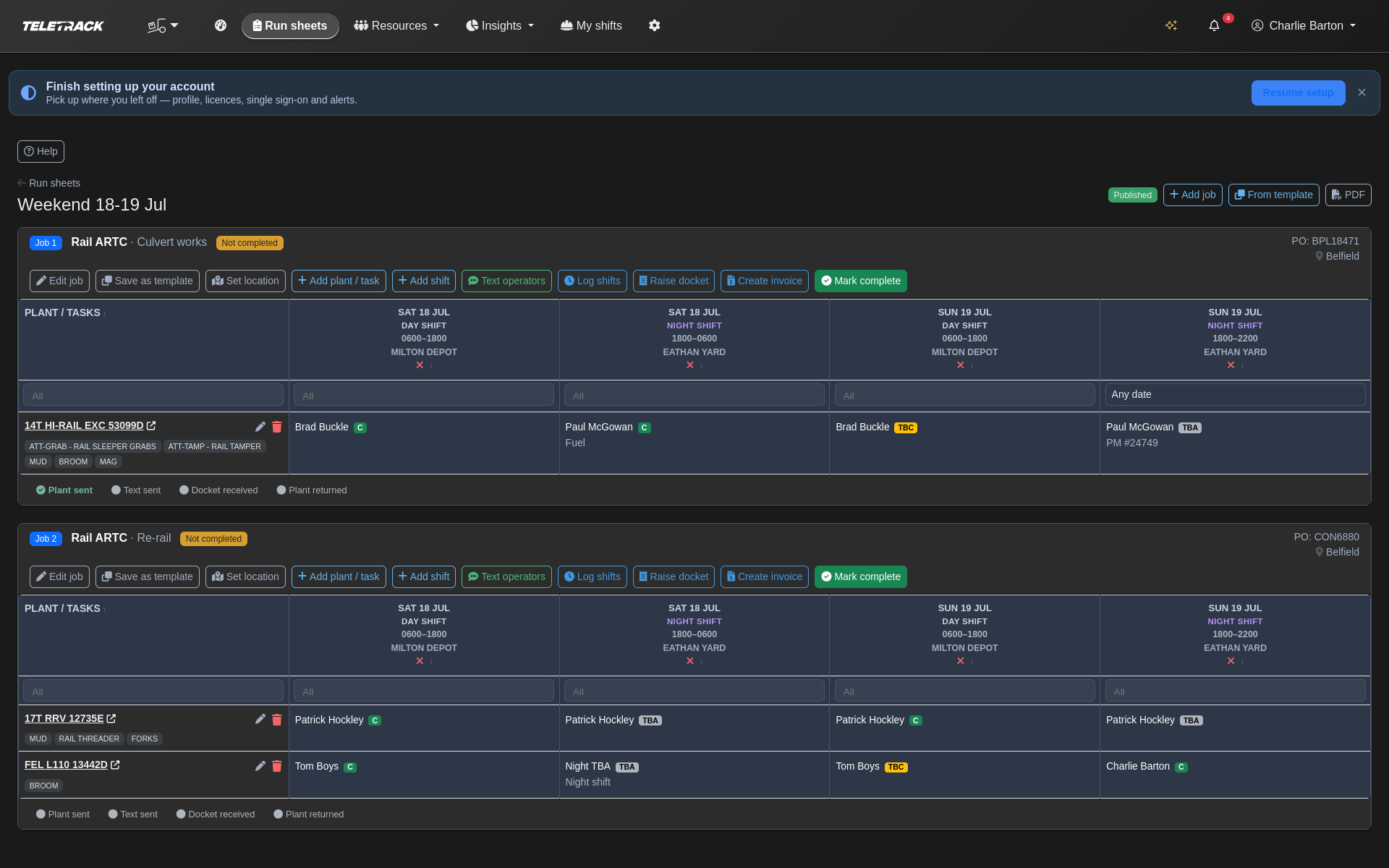
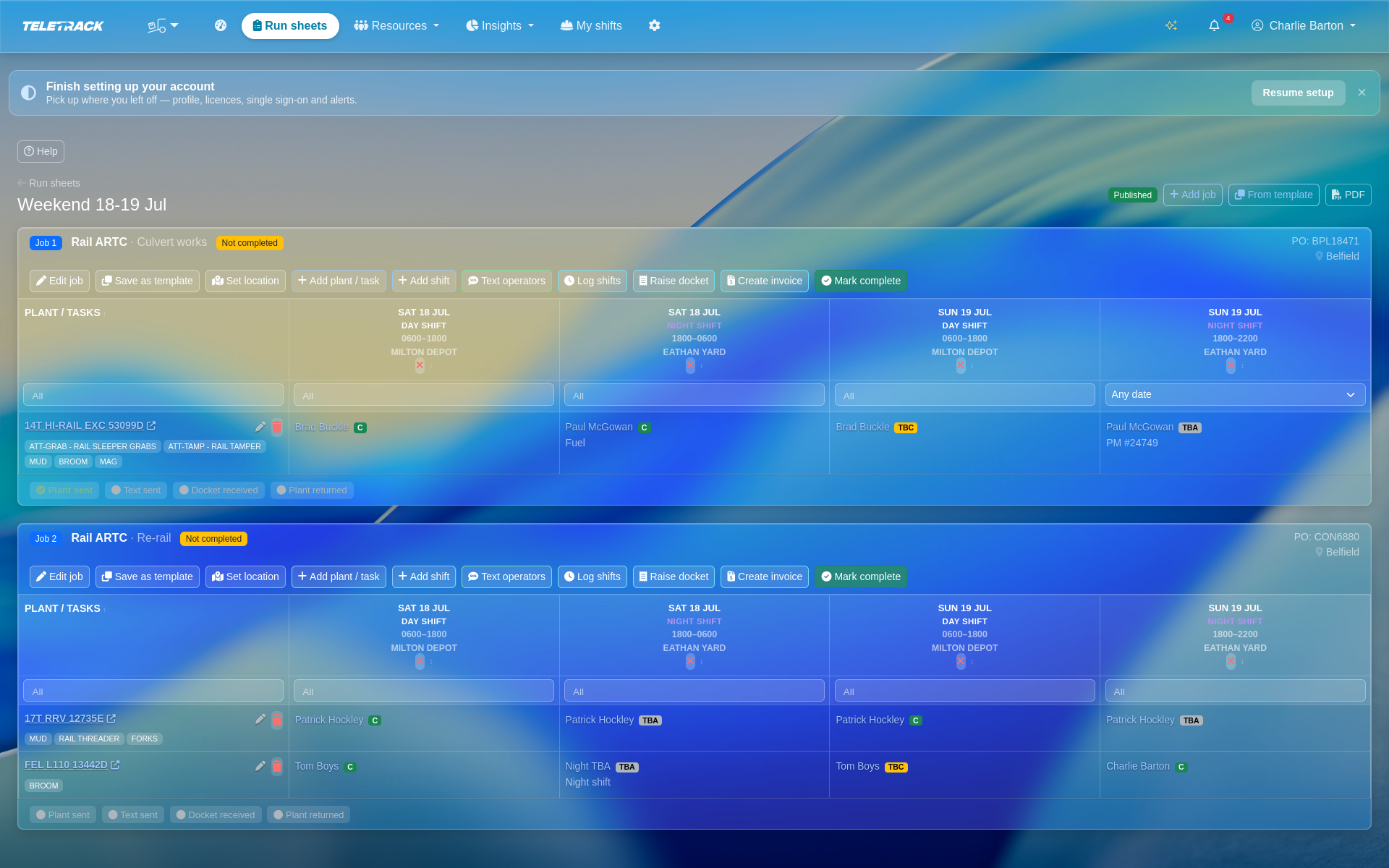
Live jobs × shifts × plant grid — replace the weekend run-sheet spreadsheet. Assign operators + plant, cycle Confirmed / TBC / TBA, catch double-bookings + compliance gaps, text the crew, log shifts to timesheets, raise dockets, invoice.
$5 / user / month + GST — Workforce package.
Bundled with Timesheets, Dockets, Inductions, Staff transport and Safety as the Workforce package (all six included). Priced per user, not per device. Month-to-month, no lock-in contracts.
How it works
From run sheet to text-the-crew in four steps
-
1
Create the run sheet
Start a dated run sheet — e.g. "Weekend 27-28 Jun WE52" — with a period start / end. Flag it as a mid-week shutdown or possession to get a wider grid. Or stamp a saved template onto a future run sheet with the next free job number.
-
2
Add jobs, shifts and plant
Add jobs (unique number per client, rail principal / customer, PO, notes, CRM contacts) with multiple locations (modelled site, free-text address, map link, or search + drop-pin with saved lat/long). Add day / night shift columns per job with times that roll past midnight cleanly. Add plant rows bound to a tracked asset — or free-text plant with a reference — and tag them with attachments and tasks (Mud, Tamper, Sleeper Grabs, Forks, Broom, Engcon).
-
3
Assign and confirm
Assign one operator to each plant × shift cell — an app user, CRM contact, or free-text name — with inline notes (fuel, PM / docket / invoice numbers, LATE TO SITE). Cycle each cell Confirmed / TBC / TBA with one click. Compliance badges flag missing tickets (Not qualified) or expired ones (Check compliance), as warnings that never stop a booking. Operator double-bookings across jobs and asset double-bookings against the scheduling board surface automatically.
-
4
Publish and text the crew
Publish stamps who + when, and prints / downloads a PDF that mirrors the spreadsheet it replaces. One-click SMS to confirmed operators + shift supervisors with job / location / link to their "my shifts" page. Preview modal shows exactly who + what. Message customisable per client with {job}, {location}, {link}, {first_name} merge fields. TEXT SENT stamped.
The grid
Everything the weekend spreadsheet tracked, live
Jobs with multiple locations
Job number unique per client, rail principal, PO, project details, notes, CRM main contacts. Multiple locations per job — pick a modelled site, paste an address, drop a map pin (saves lat / long and Google Maps link).
Shifts that roll past midnight
Shift columns per job: date, day or night shift, start / end times (night shifts roll cleanly past midnight), a label, and a supervisor who can be an app user, CRM contact, or phone number. Pre-filled from per-client default day / night times.
Plant rows, tracked or external
Plant rows bound to a tracked asset from the fleet, or free-text / external plant with a reference for machines assigned elsewhere. Tag every plant row with attachments and tasks — Mud, Tamper, Sleeper Grabs, Forks, Broom, Engcon — as free text or as real modelled attachment assets.
Assignments with inline notes
One operator per plant × shift cell — app user or free-text name — with inline cell notes (fuel, PM / docket / invoice numbers, LATE TO SITE). Every cell cycled Confirmed / TBC / TBA with one click.
Compliance warnings before the shift
Compliance badge on any assigned cell — Not qualified when the operator is missing a required ticket, Check compliance for an expired ticket, outstanding induction, or lapsed plant certificate. Missing tickets on confirmed shifts also surface on the coordinator dashboard and in the compliance hub. The badges warn; they never stop a booking.
Double-booking detection
Operator double-bookings (overlapping shifts across jobs, across the whole client, with midnight rollover handled) surface automatically. Asset double-bookings are flagged from the scheduling asset board.
Run sheet to invoice
One grid, wired end-to-end
-
1
Publish + text
Publish stamps who + when. One-click SMS to confirmed operators + shift supervisors with job / location / "my shifts" link. Preview + TEXT SENT audit stamp.
-
2
Log shifts to timesheets
Turn every confirmed assignment into a draft timesheet shift with per-asset machine hours. Skip already-logged shifts, preview before commit.
-
3
Raise wet-hire dockets
Raise a wet-hire docket from the logged shifts (idempotent — re-runs never duplicate). Signed + priced via the Dockets flow.
-
4
Consolidate to invoice
Consolidate the signed docket into a draft invoice in the Billing module, then export it as a CSV to import into Xero or MYOB. One end-to-end trail from run sheet to invoice.
Fulfilment + reuse
Fulfilment checklist + reusable templates
Per-job fulfilment checklist
PLANT SENT, TEXT SENT, DOCKET RECEIVED, PLANT RETURNED — each stamped with who + when, and wired to the asset board: PLANT SENT flips the asset to on hire, PLANT RETURNED flips it back to completed.
Reusable job templates
Save any job's shape (locations, shifts, plant, attachments, tasks, default supervisor) as a reusable template. Stamp it onto a future run sheet with the next free job number for that client.
Text the crew, per-client wording
One-click SMS to confirmed operators + shift supervisors. Message customisable per client with {job}, {location}, {link}, {first_name} merge fields. Preview modal shows exactly who + what. Stamps TEXT SENT on send.
PDF that mirrors the spreadsheet
Print / download a branded PDF of the run sheet that mirrors the format the spreadsheet used — so the crew, the customer, and the auditor all see the same shape they're used to.
Coordinator + operator tools
The tools around the grid
Coordinator dashboard
What needs attention right now: unconfirmed shifts, operators not qualified for their plant, double-bookings, plant not sent, operators not texted, dockets outstanding, jobs not completed.
Directories — jobs, operators, plant
Jobs tracker by status. Operators with phone / email / expired + expiring ticket counts + upcoming assignments — scoped so a shared operator's work for another client never leaks. Plant with reference / categories / attachment count / telematics-tracked flag + upcoming bookings.
7-day forward availability
Roster showing who is booked which day and who is free all week — the answer to "who can we call for tomorrow's slot?" in one glance.
Compliance hub
Operator tickets + plant certificates expired or expiring within 30 days, plus operators assigned to plant they aren't qualified for on upcoming run sheets. One place to chase expiries before they hold up a job.
Utilisation report
Fill rate (confirmed vs total shifts), Confirmed / TBC / TBA split, job completion rate, per-machine shifts + hours, per-operator shifts + hours — over any period, Excel / PDF export.
"My shifts" for operators
Cards showing machine, job, customer, date, day / night, times, tappable map link, supervisor name + tap-to-call number, attachments / tasks + cell notes. One-tap Confirm / Un-confirm.
Permissions
Four tiers, scoped by role
Manager — full access across the client's run sheets, jobs, plant, and operators. Supervisor — may edit jobs where they supervise a shift, read the rest. Operator — sees only their own assignments via the "my shifts" page. Plus a client-level enablement gate so Dispatch can be switched on for the clients who need it and left off for the ones who don't.
Runs alongside
Wired into the Workforce package
Timesheets
Every confirmed assignment logs as a draft timesheet shift with per-asset machine hours — no re-keying.
See Timesheets →Dockets
Raise a wet-hire docket from the logged shifts in one action, then consolidate to a draft invoice in Billing, exported as a CSV to import into Xero or MYOB.
See Dockets →Inductions
Operator tickets and inductions are checked for each plant × shift — compliance warnings show on the grid and never stop a booking.
See Inductions →Common questions
How much does it cost?
Dispatch is part of the Workforce package — $5 per user per month total, ex GST, for Timesheets + Inductions + Dockets + Dispatch + Staff transport + Safety together. Priced per user, not per device. Month-to-month, no lock-in contracts.
Does it replace our weekend / possession run-sheet spreadsheet?
Yes — that's the design brief. The grid tracks jobs × shifts × plant with all the fields the spreadsheet carried (locations, day / night times, plant with attachments and tasks, operator assignments with inline notes, Confirmed / TBC / TBA cycling). The published PDF mirrors the spreadsheet layout the crew is used to, so the transition is drop-in.
How do compliance warnings work?
Every assigned plant × shift cell carries a compliance badge. The badge reads Not qualified when the operator is missing a required ticket for that plant, and Check compliance when a ticket is expired, an induction is outstanding, or a plant certificate has lapsed. Missing tickets on confirmed shifts also show on the coordinator dashboard and in the compliance hub — so you catch problems before the shift starts, not after. With Safety on, the run sheet also warns when a rostered operator hasn't signed a SWMS for the job's site or is due a toolbox talk. Warnings only: they never stop a booking.
What double-bookings does it catch?
Operator double-bookings (overlapping shifts across jobs, across the whole client) with midnight rollover handled cleanly, plus asset double-bookings flagged against the scheduling asset board. Surfaced on the grid + on the coordinator dashboard.
Does the SMS go out from our number?
Yes — bulk SMS runs on your own Twilio account, the same setup that powers the Messaging module. The message is customisable per client with {job}, {location}, {link}, {first_name} merge fields; the preview modal shows exactly who + what before you send; TEXT SENT is stamped against every confirmed recipient.
Can operators confirm their own shifts?
Yes. The "my shifts" page shows each operator's assignments — machine, job, customer, date, day / night, times, tappable map link, supervisor name + tap-to-call number, attachments / tasks + cell notes. One tap to Confirm or Un-confirm.
See Dispatch on a live run sheet
We'll walk through building a weekend run sheet, assigning plant + operators, catching a double-booking, texting the crew, and logging the shifts to draft timesheets. 30 minutes.
More solutions
View all →PROSTART® pre-starts
Pre-starts that immobilise across every hardwired tracker we sell — Digital Matter, Teltonika, Ruptela, and TrakaX®. HammerTech-integrated.
Asset tracking
Live GPS, geofencing, history playback, and theft-response assistance — we'll help you mobilise a police-accessible live tracking link when an asset goes missing. From $21.90 / asset / month.
Maintenance
Draft work orders raised by engine hours, kilometres, schedule, or failed pre-start questions set up to create one. Parts inventory. Technician tablet workflows with photo and signature capture.
Ready to see Dispatch in action?